Module AI_A2A_Patrol
AI -- Air Patrolling or Staging.

AI PATROL classes makes AI Groups execute an Patrol.
There are the following types of PATROL classes defined:
- #AIA2APATROL: Perform a PATROL in a zone.
Demo Missions
AI_PATROL Demo Missions source code
AI_PATROL Demo Missions, only for beta testers
ALL Demo Missions pack of the last release
YouTube Channel
AI_PATROL YouTube Channel
Author: Sven Van de Velde (FlightControl)
Contributions:
- Dutch_Baron: Working together with James has resulted in the creation of the AI_BALANCER class. James has shared his ideas on balancing AI with air units, and together we made a first design which you can use now :-)
- Pikey: Testing and API concept review.
Global(s)
| AI_A2A_PATROL |
AIA2APATROL class, extends Fsm#FSM_CONTROLLABLEThe AIA2APATROL class implements the core functions to patrol a Zone by an AI Group or Group. |
Type AI_A2A_PATROL
Global(s)
- #AI_A2A_PATROL AI_A2A_PATROL
-
AIA2APATROL class, extends Fsm#FSM_CONTROLLABLE
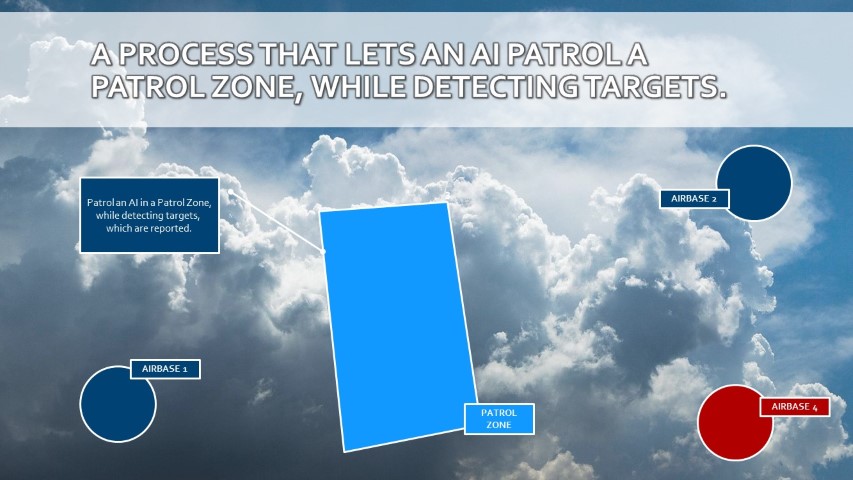
The AIA2APATROL class implements the core functions to patrol a Zone by an AI Group or Group.
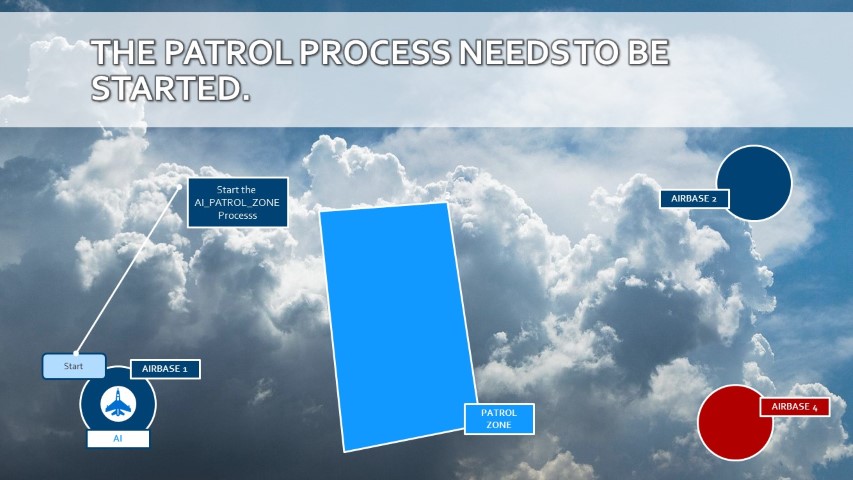
The AIA2APATROL is assigned a Group and this must be done before the AIA2APATROL process can be started using the Start event.
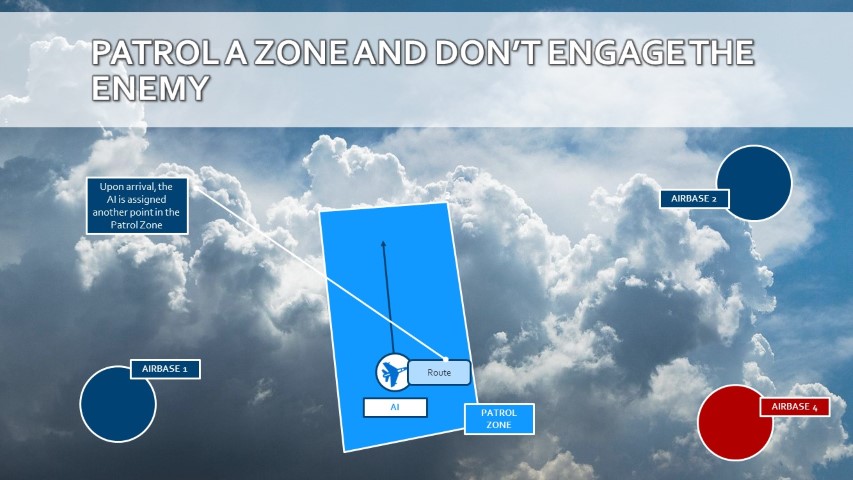
The AI will fly towards the random 3D point within the patrol zone, using a random speed within the given altitude and speed limits. Upon arrival at the 3D point, a new random 3D point will be selected within the patrol zone using the given limits.

This cycle will continue.
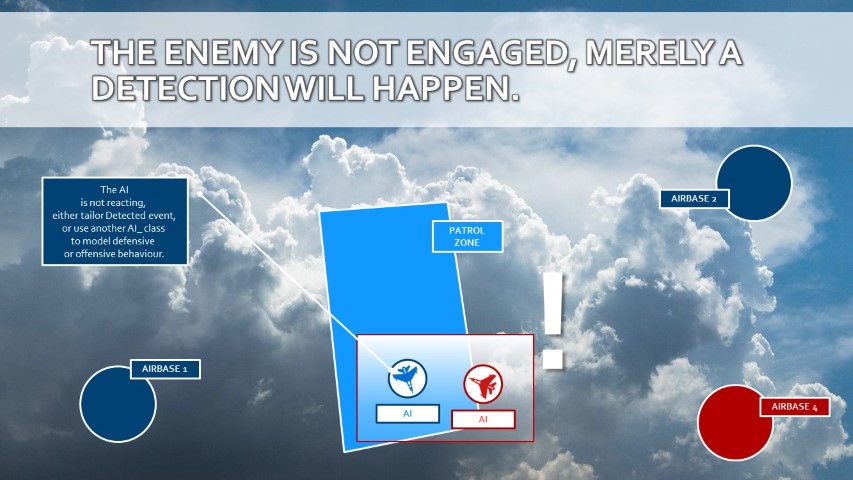
During the patrol, the AI will detect enemy targets, which are reported through the Detected event.
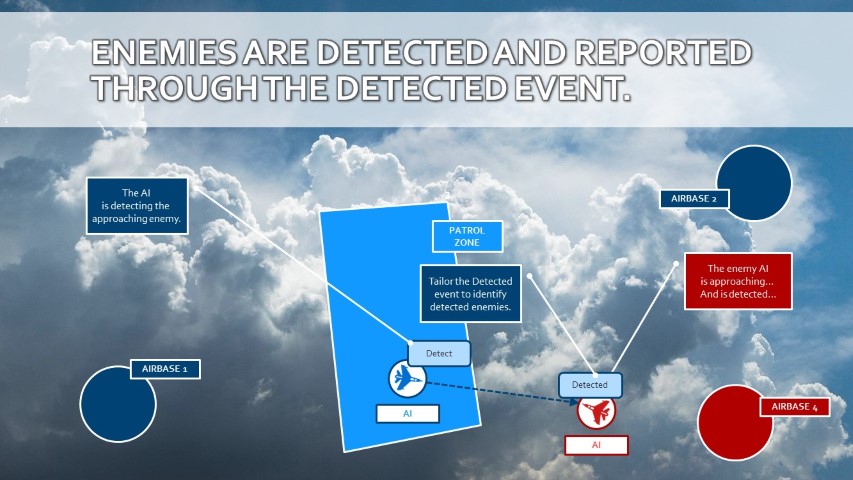
-- Note that the enemy is not engaged! To model enemy engagement, either tailor the Detected event, or use derived AI_ classes to model AI offensive or defensive behaviour.
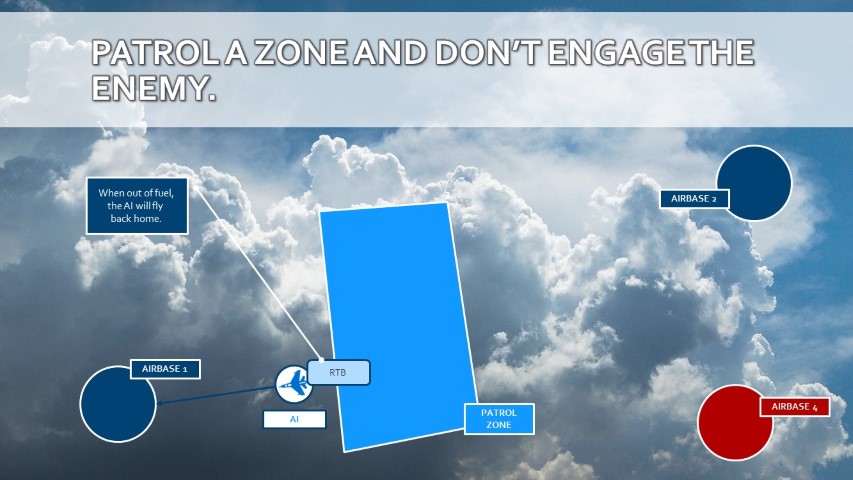
Until a fuel or damage treshold has been reached by the AI, or when the AI is commanded to RTB. When the fuel treshold has been reached, the airplane will fly towards the nearest friendly airbase and will land.
1. AIA2APATROL constructor
- AIA2APATROL.New(): Creates a new AIA2APATROL object.
2. AIA2APATROL is a FSM

2.1. AIA2APATROL States
- None ( Group ): The process is not started yet.
- Patrolling ( Group ): The AI is patrolling the Patrol Zone.
- Returning ( Group ): The AI is returning to Base.
- Stopped ( Group ): The process is stopped.
- Crashed ( Group ): The AI has crashed or is dead.
2.2. AIA2APATROL Events
- Start ( Group ): Start the process.
- Stop ( Group ): Stop the process.
- Route ( Group ): Route the AI to a new random 3D point within the Patrol Zone.
- RTB ( Group ): Route the AI to the home base.
- Detect ( Group ): The AI is detecting targets.
- Detected ( Group ): The AI has detected new targets.
- Status ( Group ): The AI is checking status (fuel and damage). When the tresholds have been reached, the AI will RTB.
3. Set or Get the AI controllable
- AIA2APATROL.SetControllable(): Set the AIControllable.
- AIA2APATROL.GetControllable(): Get the AIControllable.
4. Set the Speed and Altitude boundaries of the AI controllable
- AIA2APATROL.SetSpeed(): Set the patrol speed boundaries of the AI, for the next patrol.
- AIA2APATROL.SetAltitude(): Set altitude boundaries of the AI, for the next patrol.
5. Manage the detection process of the AI controllable
The detection process of the AI controllable can be manipulated. Detection requires an amount of CPU power, which has an impact on your mission performance. Only put detection on when absolutely necessary, and the frequency of the detection can also be set.
- AIA2APATROL.SetDetectionOn(): Set the detection on. The AI will detect for targets.
- AIA2APATROL.SetDetectionOff(): Set the detection off, the AI will not detect for targets. The existing target list will NOT be erased.
The detection frequency can be set with AIA2APATROL.SetRefreshTimeInterval( seconds ), where the amount of seconds specify how much seconds will be waited before the next detection. Use the method AIA2APATROL.GetDetectedUnits() to obtain a list of the Units detected by the AI.
The detection can be filtered to potential targets in a specific zone. Use the method AIA2APATROL.SetDetectionZone() to set the zone where targets need to be detected. Note that when the zone is too far away, or the AI is not heading towards the zone, or the AI is too high, no targets may be detected according the weather conditions.
6. Manage the "out of fuel" in the AIA2APATROL
When the AI is out of fuel, it is required that a new AI is started, before the old AI can return to the home base. Therefore, with a parameter and a calculation of the distance to the home base, the fuel treshold is calculated. When the fuel treshold is reached, the AI will continue for a given time its patrol task in orbit, while a new AI is targetted to the AIA2APATROL. Once the time is finished, the old AI will return to the base. Use the method AIA2APATROL.ManageFuel() to have this proces in place.
7. Manage "damage" behaviour of the AI in the AIA2APATROL
When the AI is damaged, it is required that a new Patrol is started. However, damage cannon be foreseen early on. Therefore, when the damage treshold is reached, the AI will return immediately to the home base (RTB). Use the method AIA2APATROL.ManageDamage() to have this proces in place.
Type AI_A2A_Patrol
Type AI_A2A
Type AI_A2A_PATROL
Field(s)
- AI_A2A_PATROL:New(AIPatrol, PatrolZone, PatrolFloorAltitude, PatrolCeilingAltitude, PatrolMinSpeed, PatrolMaxSpeed, PatrolAltType)
-
Creates a new AIA2APATROL object
Parameters
-
Wrapper.Group#GROUP AIPatrol: -
Core.Zone#ZONE_BASE PatrolZone: The Zone where the patrol needs to be executed. -
Dcs.DCSTypes#Altitude PatrolFloorAltitude: The lowest altitude in meters where to execute the patrol. -
Dcs.DCSTypes#Altitude PatrolCeilingAltitude: The highest altitude in meters where to execute the patrol. -
Dcs.DCSTypes#Speed PatrolMinSpeed: The minimum speed of the Group in km/h. -
Dcs.DCSTypes#Speed PatrolMaxSpeed: The maximum speed of the Group in km/h. -
Dcs.DCSTypes#AltitudeType PatrolAltType: The altitude type ("RADIO"=="AGL", "BARO"=="ASL"). Defaults to RADIO
Return value
#AIA2APATROL: self
Usage:
-- Define a new AI_A2A_PATROL Object. This PatrolArea will patrol a Group within PatrolZone between 3000 and 6000 meters, with a variying speed between 600 and 900 km/h. PatrolZone = ZONE:New( 'PatrolZone' ) PatrolSpawn = SPAWN:New( 'Patrol Group' ) PatrolArea = AI_A2A_PATROL:New( PatrolZone, 3000, 6000, 600, 900 ) -
- AI_A2A_PATROL:OnAfterPatrol(AIPatrol, From, Event, To)
-
OnAfter Transition Handler for Event Patrol.
Parameters
-
Wrapper.Group#GROUP AIPatrol: The Group Object managed by the FSM. -
#string From: The From State string. -
#string Event: The Event string. -
#string To: The To State string.
-
- AI_A2A_PATROL:OnAfterRoute(AIPatrol, From, Event, To)
-
OnAfter Transition Handler for Event Route.
Parameters
-
Wrapper.Group#GROUP AIPatrol: The Group Object managed by the FSM. -
#string From: The From State string. -
#string Event: The Event string. -
#string To: The To State string.
-
- AI_A2A_PATROL:OnBeforePatrol(AIPatrol, From, Event, To)
-
OnBefore Transition Handler for Event Patrol.
Parameters
-
Wrapper.Group#GROUP AIPatrol: The Group Object managed by the FSM. -
#string From: The From State string. -
#string Event: The Event string. -
#string To: The To State string.
Return value
#boolean: Return false to cancel Transition.
-
- AI_A2A_PATROL:OnBeforeRoute(AIPatrol, From, Event, To)
-
OnBefore Transition Handler for Event Route.
Parameters
-
Wrapper.Group#GROUP AIPatrol: The Group Object managed by the FSM. -
#string From: The From State string. -
#string Event: The Event string. -
#string To: The To State string.
Return value
#boolean: Return false to cancel Transition.
-
- AI_A2A_PATROL:OnEnterPatrolling(AIPatrol, From, Event, To)
-
OnEnter Transition Handler for State Patrolling.
Parameters
-
Wrapper.Group#GROUP AIPatrol: The Group Object managed by the FSM. -
#string From: The From State string. -
#string Event: The Event string. -
#string To: The To State string.
-
- AI_A2A_PATROL:OnLeavePatrolling(AIPatrol, From, Event, To)
-
OnLeave Transition Handler for State Patrolling.
Parameters
-
Wrapper.Group#GROUP AIPatrol: The Group Object managed by the FSM. -
#string From: The From State string. -
#string Event: The Event string. -
#string To: The To State string.
Return value
#boolean: Return false to cancel Transition.
-
- AI_A2A_PATROL:Patrol()
-
Synchronous Event Trigger for Event Patrol.
- AI_A2A_PATROL.PatrolAltType
-
defafult PatrolAltType to "RADIO" if not specified
- AI_A2A_PATROL.PatrolRoute(AIPatrol, Fsm)
-
Parameters
-
Wrapper.Group#GROUP AIPatrol: This statis method is called from the route path within the last task at the last waaypoint of the AIPatrol. Note that this method is required, as triggers the next route when patrolling for the AIPatrol. -
Fsm:
-
- AI_A2A_PATROL.Resume(AIPatrol)
-
Parameter
-
Wrapper.Group#GROUP AIPatrol:
-
- AI_A2A_PATROL:Route()
-
Synchronous Event Trigger for Event Route.
- AI_A2A_PATROL:SetAltitude(PatrolFloorAltitude, PatrolCeilingAltitude)
-
Sets the floor and ceiling altitude of the patrol.
Parameters
-
Dcs.DCSTypes#Altitude PatrolFloorAltitude: The lowest altitude in meters where to execute the patrol. -
Dcs.DCSTypes#Altitude PatrolCeilingAltitude: The highest altitude in meters where to execute the patrol.
Return value
#AIA2APATROL: self
-
- AI_A2A_PATROL:SetSpeed(PatrolMinSpeed, PatrolMaxSpeed)
-
Sets (modifies) the minimum and maximum speed of the patrol.
Parameters
-
Dcs.DCSTypes#Speed PatrolMinSpeed: The minimum speed of the Group in km/h. -
Dcs.DCSTypes#Speed PatrolMaxSpeed: The maximum speed of the Group in km/h.
Return value
#AIA2APATROL: self
-
- AI_A2A_PATROL:__Patrol(Delay)
-
Asynchronous Event Trigger for Event Patrol.
Parameter
-
#number Delay: The delay in seconds.
-
- AI_A2A_PATROL:__Route(Delay)
-
Asynchronous Event Trigger for Event Route.
Parameter
-
#number Delay: The delay in seconds.
-
- AI_A2A_PATROL:onafterPatrol(AIPatrol, From, Event, To)
-
Defines a new patrol route using the Process_PatrolZone parameters and settings.
Parameters
-
Wrapper.Group#GROUP AIPatrol: The Group Object managed by the FSM. -
#string From: The From State string. -
#string Event: The Event string. -
#string To: The To State string.
Return value
#AIA2APATROL: self
-
- AI_A2A_PATROL:onafterRoute(AIPatrol, From, Event, To)
-
Defines a new patrol route using the Process_PatrolZone parameters and settings.
Parameters
-
Wrapper.Group#GROUP AIPatrol: The Group managed by the FSM. -
#string From: The From State string. -
#string Event: The Event string. -
#string To: The To State string.
-