This PR allows campaign creators to incorporate map objects (referred to as Scenery in the code) into their Liberation campaign.
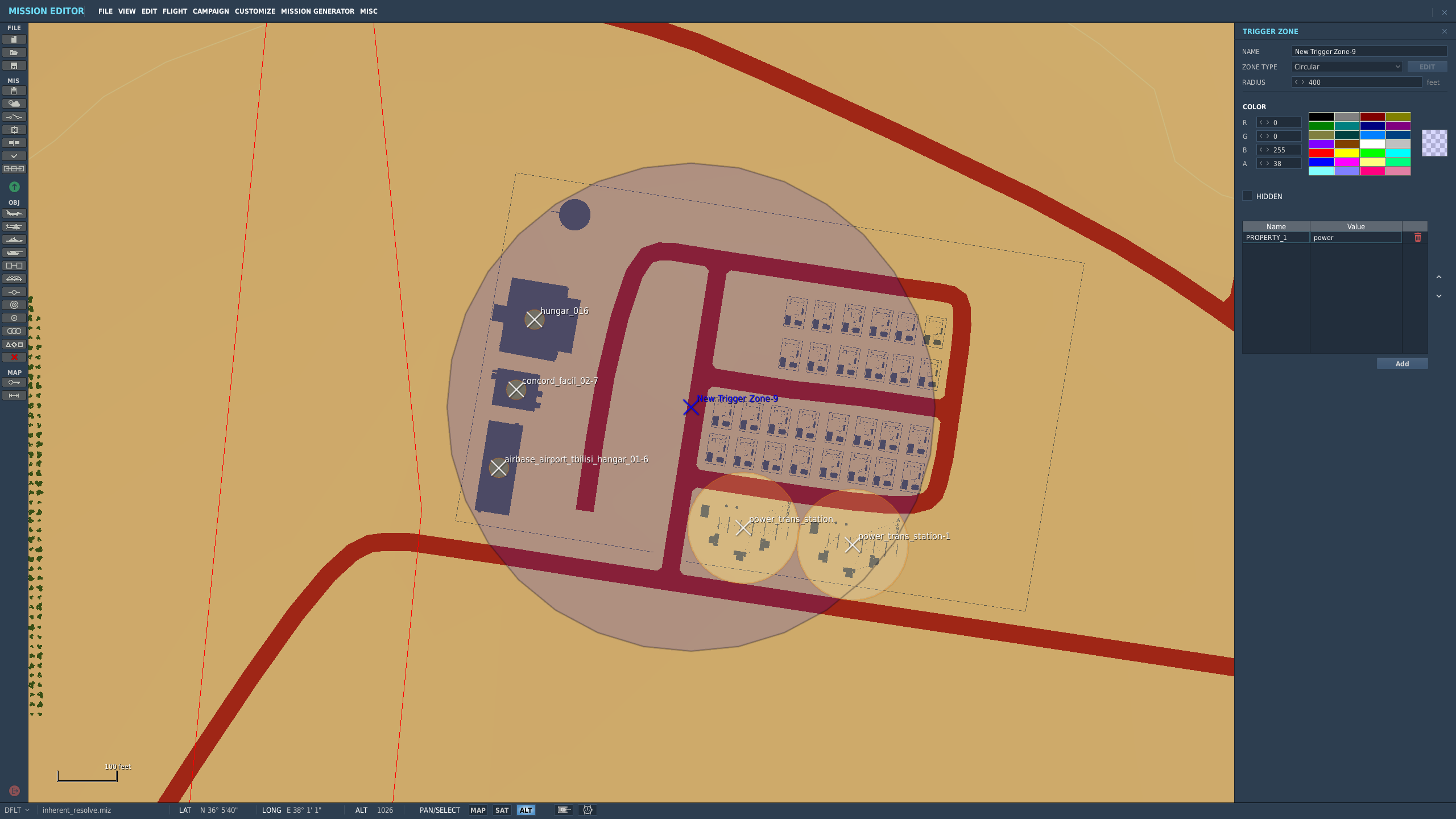
Map objects are defined using white trigger zones created by right clicking on scenery and clicking `assign as...`. Objective groups are defined by creating a blue TriggerZone surrounding the centers of the white trigger zones. The type of objective is determined by the campaign creator, assigning the value of the first property of the blue TriggerZone with the objective type.
Map objects maintain their visually dead state by assigning a `Mission Start` `Scenery Object Dead` trigger to the trigger zone. It is important for the Liberation generated TriggerZone to be as small as possible so that no other scenery is marked dead by DCS.
TriggerZones are hidden during gameplay (DCS behavior. I don't know if it's possible to turn that off.) TriggerZones are visible in the mission editor and mission planner however. If a player is using an older plane, it is important for them to remember where the target is.
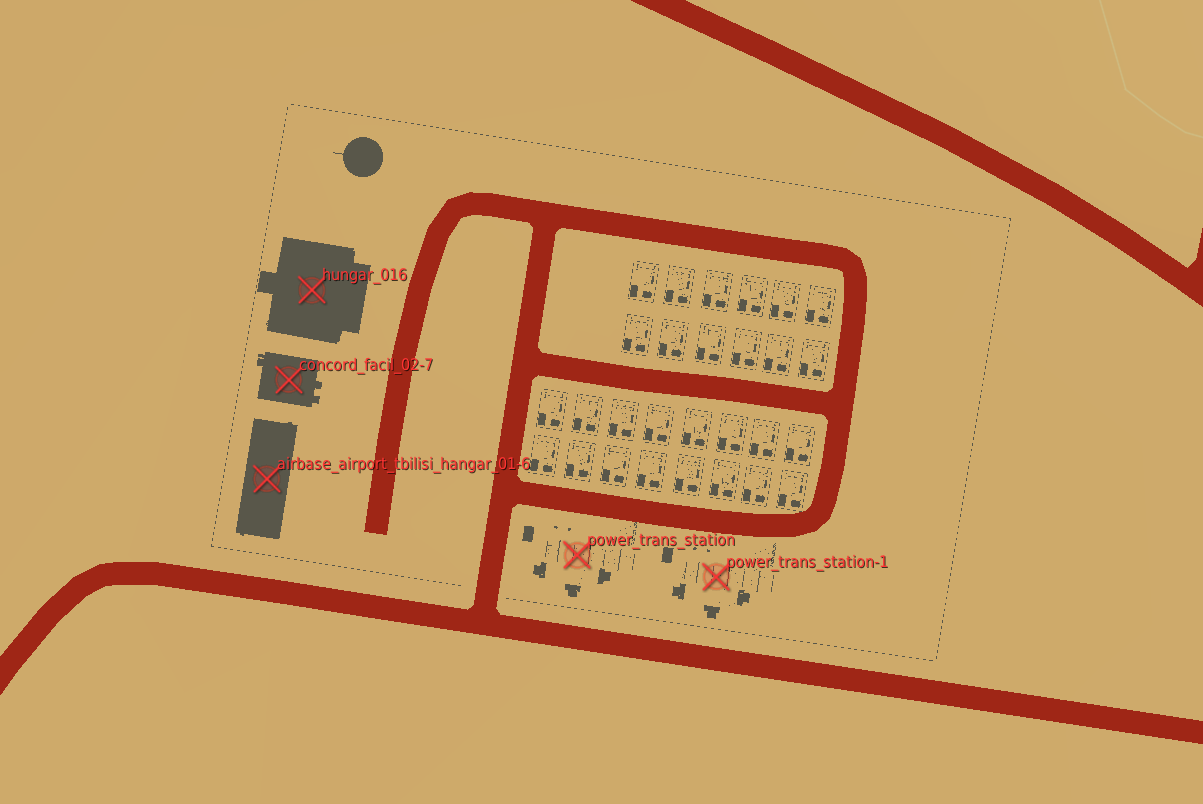
In the mission planner, the trigger zones' will be blue or red depending on which faction the map objects belong to.
Inherent Resolve campaign has been modified to integrate scenery objects.
### **Limitations:**
- Objective definitions (Any Blue TriggerZones) in campaign definition cannot overlap.
- Map object deaths in `state.json` is tracking integers. You won't know what died until debriefing.
- No images for the various buildings. In theory it can be done, but an unreasonable amount of work.
- Every blue trigger zone must have a unique name. (If you let DCS auto increment the names this is not a concern.
- No output to screen when scenery object is dead. You can see the building drawn as dead in the F10 map though.
### **Pictures:**
An objective:
How the objective looks once in the mission planner/editor. This objective belongs to the enemy faction:
This also removes the "factory" type from the normal strike target
(money generating) generators to avoid confusion. Later only control
points with factories will be able to spawn ground units, at which point
these will no longer generate income.

https://github.com/Khopa/dcs_liberation/issues/986
Generate a Carrier Group which comes close the the real Carrier Strike Group 8.

Under carrier_names in the faction simply add "Carrier Strike Group 8" as the first and only entry and enable super carrier.

* TRU as TACAN name
* Harry S. Truman CV
* 4x Arleigh Burke
* 1x Ticonderoga
* CV in the middle, Ticonderoga in a radius of 2 miles, Arleigh Burkes forming a rectangle
`FrontLine` is tightly coupled with `ConflictTheater`.
  Moved into the same module to prevent circular imports.

Moved `ConflictTheater.frontline_data` from class var
to instance var to allow save games to have different
versions of frontlines.
I've been wrongly importing these from `pydcs.dcs` instead of just
`dcs`, because that was what PyCharm thought they were. These will all
be broken when we get back to using a real pydcs instead of relying on
its directory being in our tree.

This page in the wiki should be updated:
https://github.com/Khopa/dcs_liberation/wiki/Developer's-Guide

Instead of recommending that `PYTHONPATH` be updated in the run
configuration, it should instead recommend that Settings -> Project:
dcs_liberation -> Project Structure be set to exclude the pydcs
directory from the dcs_liberation content root, and add the pydcs
directory as a *separate* content root.

Alternatively, we could recommend that configure a virtualenv (good
advice anyway, and pycharm knows how to set them up) that have people
run `pip install -e pydcs`.

I think even easier would be switching from the virtualenv-style
requirements.txt to pipenv, which can actually encode the `-e` style
pip install into its equivalent of requirements.txt.
I removed the nav target info from the briefing because that doesn't
seem to have been doing what it was intended to do. It didn't give any
actual target information, all it would show was (example is a  JF-17
strike mission):

    PP1
    PP2
    PP3
    PP4

Without any additional context that doesn't seem too helpful to me.
I'll be following up (hopefully) shortly by adding target information
(type, coordinates, STPT/PP, etc) to both the briefing and the
kneeboard that will cover that.

Refactor a bunch to share some code with the kneeboard generator as
well.


