* Addresses #478, adding a heading class to represent headings and angles
Removed some unused code

* Fixing bad merge

* Formatting

* Fixing type issues and other merge resolution misses
This is as much as we can do until pydcs actually adds the py.typed
file. Once that's added there are a few ugly monkey patching corners
that will just need `# type: ignore` for now, but we can't pre-add those
since we have mypy warning us about superfluous ignore comments.
* Implements #1399

* Reverting accidental change in generate_landmap.py

* Changelog update

* Import beacon data for Marianas.

Co-authored-by: Dan Albert <dan@gingerhq.net>
This limit is determined by the number of buildings that belong to Ammo
Depots at the front line's connected Control Point. The limit increases
for every surviving building at ammo depot objectives.

There is a lower limit to the number of units that will spawn, so that
if there are no surviving ammo depot buildings at a control point, there
will still be some ground conflict.
This PR allows campaign creators to incorporate map objects (referred to as Scenery in the code) into their Liberation campaign.
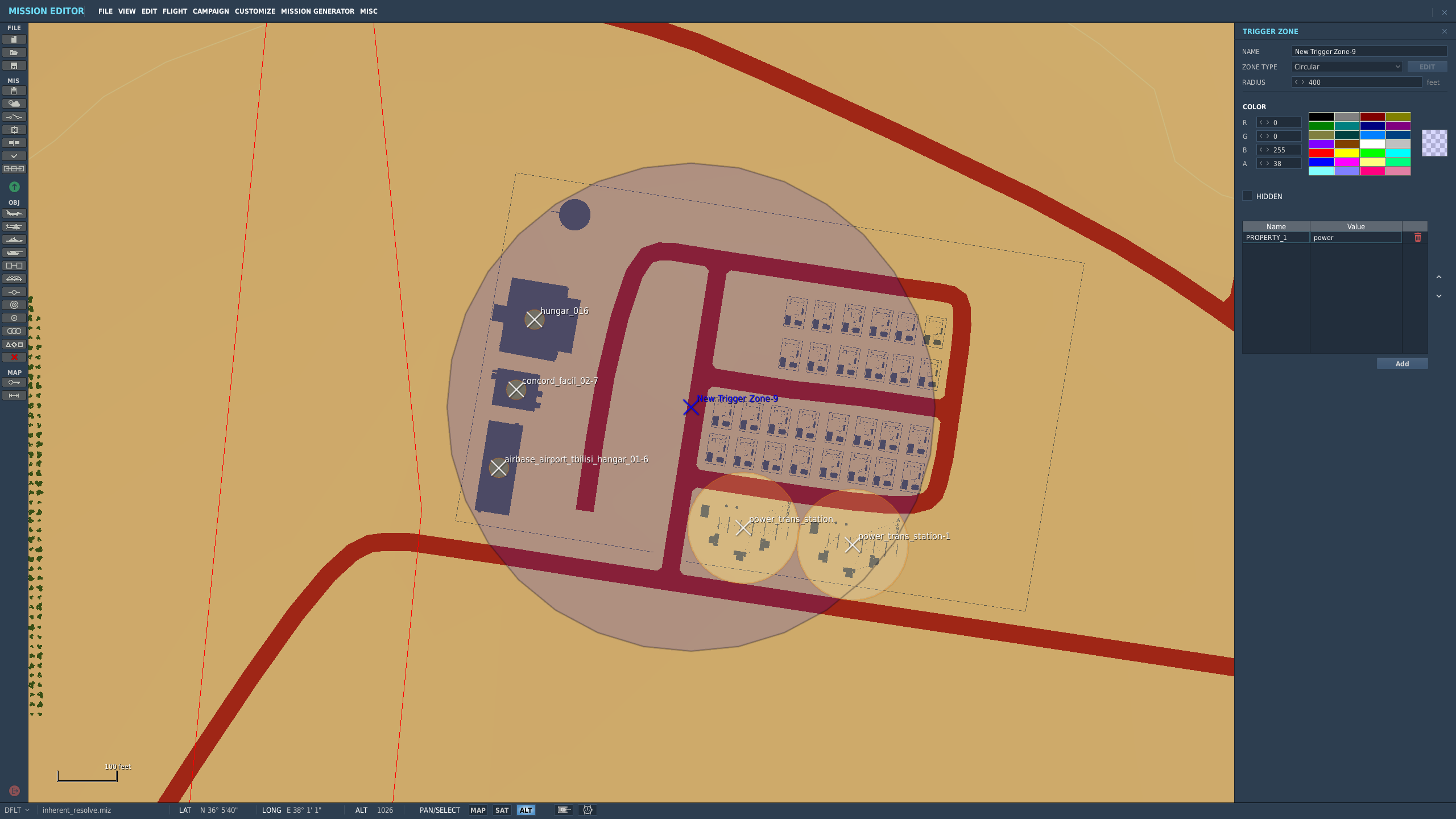
Map objects are defined using white trigger zones created by right clicking on scenery and clicking `assign as...`. Objective groups are defined by creating a blue TriggerZone surrounding the centers of the white trigger zones. The type of objective is determined by the campaign creator, assigning the value of the first property of the blue TriggerZone with the objective type.
Map objects maintain their visually dead state by assigning a `Mission Start` `Scenery Object Dead` trigger to the trigger zone. It is important for the Liberation generated TriggerZone to be as small as possible so that no other scenery is marked dead by DCS.
TriggerZones are hidden during gameplay (DCS behavior. I don't know if it's possible to turn that off.) TriggerZones are visible in the mission editor and mission planner however. If a player is using an older plane, it is important for them to remember where the target is.
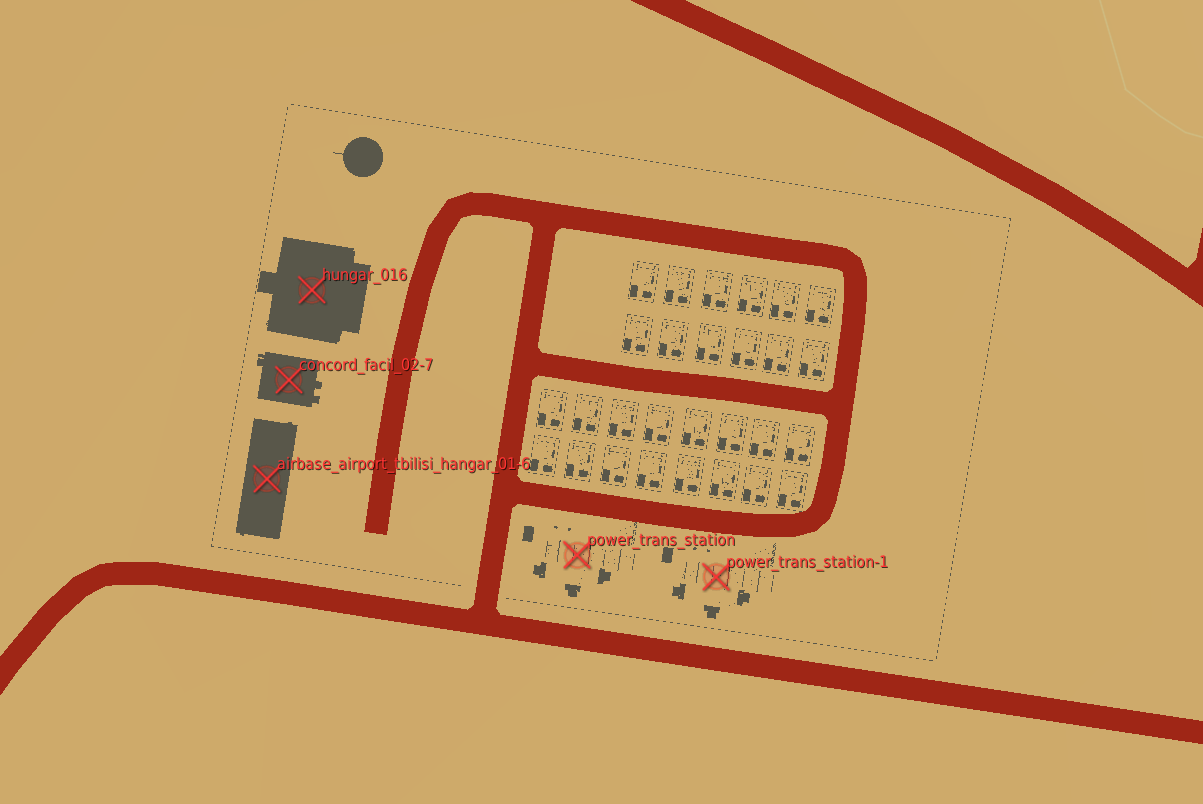
In the mission planner, the trigger zones' will be blue or red depending on which faction the map objects belong to.
Inherent Resolve campaign has been modified to integrate scenery objects.
### **Limitations:**
- Objective definitions (Any Blue TriggerZones) in campaign definition cannot overlap.
- Map object deaths in `state.json` is tracking integers. You won't know what died until debriefing.
- No images for the various buildings. In theory it can be done, but an unreasonable amount of work.
- Every blue trigger zone must have a unique name. (If you let DCS auto increment the names this is not a concern.
- No output to screen when scenery object is dead. You can see the building drawn as dead in the F10 map though.
### **Pictures:**
An objective:
How the objective looks once in the mission planner/editor. This objective belongs to the enemy faction:
The routes do not need be be recreated each time we create a
`FrontLine`. The front lines follow the convoy routes, which are static.
Add the convoy route data to the `ControlPoint` the way we do for
shipping lanes and have `FrontLine` load the data from there.
A was intended to be the blue point and B was intended to be the red
point. Make this a part of the name so that's clear, and clean up
related code to keep that reliable.
This also removes the "factory" type from the normal strike target
(money generating) generators to avoid confusion. Later only control
points with factories will be able to spawn ground units, at which point
these will no longer generate income.

https://github.com/Khopa/dcs_liberation/issues/986
This is used to provide a UI hint to guide players towards campaigns
that have been updated to work with the current version of the game.
All the campaigns we currently have were made for an unknown version of
the game, so they're all flagged as incompatible.

The version field is not the DCS Liberation version number because the
campaign format may change multiple times during development. Instead
the version number is a monotonically increasing integer that we
increment whenever a game change requires campaign updates.
* A Bluefor EWR 55GS in the campaign miz defines an optional EWR site. There is no distinction between how close or far it is to a base, so it's possible that there will be many EWRs within an airbase.
* A Redfor EWR 1L13 in the campaign miz defines a required EWR site.

It would be a good future idea to limit the amount of EWRs within a certain distance from an airbase. That way there's no chance of 5 EWRs all at the same airbase. Even better if there were something preventing any two EWRs from being right next to each other.

No campaigns take advantage of this yet.

Fixes https://github.com/Khopa/dcs_liberation/issues/524
Still a work in progress (the missions don't actually perform their task, just orbit). Currently:

* AEW&C aircraft can be bought.
* AEW&C missions can be planned at any control point and at front lines.
* AEW&C will return after 4H or Bingo.
Converts the landmap to use MultiPolygon instead of a collection of
polygons, since Shapely has explicit support for this.

Because we've done that, we can use a single projection from a line
instead of brute forcing the extent of the front line.

This makes turn processing ~66% faster (3 seconds to 1.8).

There are probably other places this should be used.
Started with TARCAP because they're simple, but will follow and extend
this to the other flight plans next.

This works by building navigation meshes (navmeshes) of the theater
based on the threat regions. A navmesh is created for each faction to
allow the unique pathing around each side's threats. Navmeshes are built
such that there are nav edges around threat zones to allow the planner
to pick waypoints that (slightly) route around threats before
approaching the target.

Using the navmesh, routes are found using A*. Performance appears
adequate, and could probably be improved with a cache if needed since
the small number of origin points means many flights will share portions
of their flight paths.

This adds a few visual debugging tools to the map. They're disabled by
default, but changing the local `debug` variable in `DisplayOptions` to
`True` will make them appear in the display options menu. These are:

* Display navmeshes (red and blue). Displaying either navmesh will draw
  each navmesh polygon on the map view and highlight the mesh that
  contains the cursor. Neighbors are indicated by a small yellow line
  pointing from the center of the polygon's edge/vertext that is shared
  with its neighbor toward the centroid of the zone.
* Shortest path from control point to mouse location. The first control
  point for the selected faction is arbitrarily selected, and the
  shortest path from that control point to the mouse cursor will be
  drawn on the map.
* TARCAP plan near mouse location. A TARCAP will be planned from the
  faction's first control point to the target nearest the mouse cursor.

https://github.com/Khopa/dcs_liberation/issues/292
* Introduce a real type.
* Rewrite _transform_point to make use of Point.
* Add shift modifier for large (10 pixel) adjustements to reference
  points. Unmodified behavior is now single pixel.
* Use WASD for moving the second point (shift modified numpad keys don't
  seem to work).
* Add a debug option to draw transformed reference points to check for
  errors. If they don't overlap, something is wrong.
* Cleaned up all the existing reference points. Caucasus in particular
  is now *much* better.

As an added bonus, the cleanup for carrier movement projection now also
shows an invalid destination when the destination is on land.


