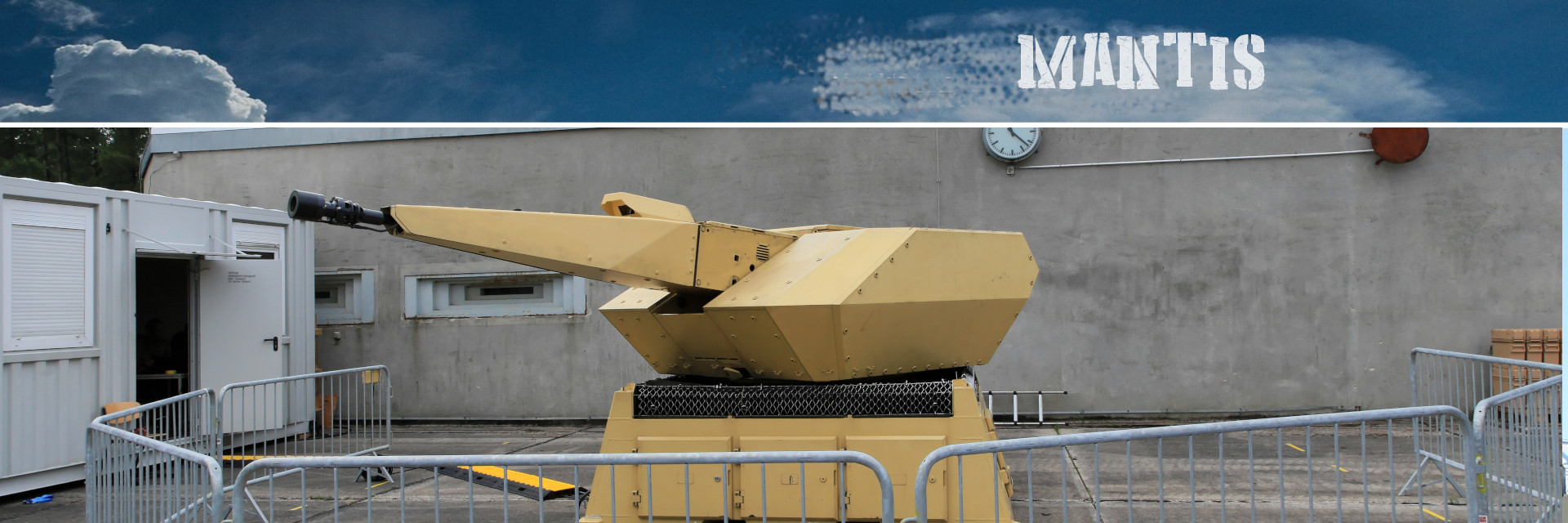
Module Functional.Mantis
Functional -- Modular, Automatic and Network capable Targeting and Interception System for Air Defenses
MANTIS - Moose derived Modular, Automatic and Network capable Targeting and Interception System Controls a network of SAM sites.
Use detection to switch on the AA site closest to the enemy Leverage evasiveness from SEAD Leverage attack range setup added by DCS in 11/20
Missions:
MANTIS - Modular, Automatic and Network capable Targeting and Interception System
Author : *applevangelist *
Global(s)
Global MANTIS |
The worst thing that can happen to a good cause is, not to be skillfully attacked, but to be ineptly defended. - Frédéric Bastiat Simple Class for a more intelligent Air Defense System MANTISMoose derived Modular, Automatic and Network capable Targeting and Interception System. |
The worst thing that can happen to a good cause is, not to be skillfully attacked, but to be ineptly defended. - Frédéric Bastiat
Simple Class for a more intelligent Air Defense System
MANTIS
Moose derived Modular, Automatic and Network capable Targeting and Interception System.
Controls a network of SAM sites. Use detection to switch on the AA site closest to the enemy. Leverage evasiveness from Functional.Sead#SEAD. Leverage attack range setup added by DCS in 11/20.
Set up your SAM sites in the mission editor. Name the groups with common prefix like "Red SAM". Set up your EWR system in the mission editor. Name the groups with common prefix like "Red EWR". Can be e.g. AWACS or a combination of AWACS and Search Radars like e.g. EWR 1L13 etc. [optional] Set up your HQ. Can be any group, e.g. a command vehicle.
1. Basic tactical considerations when setting up your SAM sites
1.1 Radar systems and AWACS
Typically, your setup should consist of EWR (early warning) radars to detect and track targets, accompanied by AWACS if your scenario forsees that. Ensure that your EWR radars have a good coverage of the area you want to track. Location is of highest importantance here. Whilst AWACS in DCS has almost the "all seeing eye", EWR don't have that. Choose your location wisely, against a mountain backdrop or inside a valley even the best EWR system doesn't work well. Prefer higher-up locations with a good view; use F7 in-game to check where you actually placed your EWR and have a look around. Apart from the obvious choice, do also consider other radar units for this role, most have "SR" (search radar) or "STR" (search and track radar) in their names, use the encyclopedia to see what they actually do.
1.2 SAM sites
Typically your SAM should cover all attack ranges. The closer the enemy gets, the more systems you will need to deploy to defend your location. Use a combination of long-range systems like the SA-10/11, midrange like SA-6 and short-range like SA-2 for defense (Patriot, Hawk, Gepard, Blindfire for the blue side). For close-up defense and defense against HARMs or low-flying aircraft, helicopters it is also advisable to deploy SA-15 TOR systems, Shilka, Strela and Tunguska units, as well as manpads (Think Gepard, Avenger, Chaparral, Linebacker, Roland systems for the blue side). If possible, overlap ranges for mutual coverage.
1.3 Typical problems
Often times, people complain because the detection cannot "see" oncoming targets and/or Mantis switches on too late. Three typial problems here are
- bad placement of radar units,
- overestimation how far units can "see" and
- not taking into account that a SAM site will take (e.g for a SA-6) 30-40 seconds between switching to RED, acquiring the target and firing.
An attacker doing 350knots will cover ca 180meters/second or thus more than 6km until the SA-6 fires. Use triggers zones and the ruler in the missione editor to understand distances and zones. Take into account that the ranges given by the circles in the mission editor are absolute maximum ranges; in-game this is rather 50-75% of that depending on the system. Fiddle with placement and options to see what works best for your scenario, and remember everything in here is in meters.
2. Start up your MANTIS with a basic setting
myredmantis = MANTIS:New("myredmantis","Red SAM","Red EWR",nil,"red",false)
myredmantis:Start()
[optional] Use
MANTIS:SetEWRGrouping(radius)MANTIS:SetEWRRange(radius)MANTIS:SetSAMRadius(radius)MANTIS:SetDetectInterval(interval)MANTIS:SetAutoRelocate(hq, ewr)
before starting #MANTIS to fine-tune your setup.
If you want to use a separate AWACS unit (default detection range: 250km) to support your EWR system, use e.g. the following setup:
mybluemantis = MANTIS:New("bluemantis","Blue SAM","Blue EWR",nil,"blue",false,"Blue Awacs")
mybluemantis:Start()
3. Default settings
By default, the following settings are active:
- SAM_Templates_Prefix = "Red SAM" - SAM site group names in the mission editor begin with "Red SAM"
- EWR_Templates_Prefix = "Red EWR" - EWR group names in the mission editor begin with "Red EWR" - can also be combined with an AWACS unit
- checkradius = 25000 (meters) - SAMs will engage enemy flights, if they are within a 25km around each SAM site -
MANTIS:SetSAMRadius(radius) - grouping = 5000 (meters) - Detection (EWR) will group enemy flights to areas of 5km for tracking -
MANTIS:SetEWRGrouping(radius) - acceptrange = 80000 (meters) - Detection (EWR) will on consider flights inside a 80km radius -
MANTIS:SetEWRRange(radius) - detectinterval = 30 (seconds) - MANTIS will decide every 30 seconds which SAM to activate -
MANTIS:SetDetectInterval(interval) - engagerange = 85 (percent) - SAMs will only fire if flights are inside of a 85% radius of their max firerange -
MANTIS:SetSAMRange(range) - dynamic = false - Group filtering is set to once, i.e. newly added groups will not be part of the setup by default -
MANTIS:New(name,samprefix,ewrprefix,hq,coaltion,dynamic) - autorelocate = false - HQ and (mobile) EWR system will not relocate in random intervals between 30mins and 1 hour -
MANTIS:SetAutoRelocate(hq, ewr) - debug = false - Debugging reports on screen are set to off -
MANTIS:Debug(onoff)
4. Advanced Mode
Advanced mode will decrease reactivity of MANTIS, if HQ and/or EWR network dies. Awacs is counted as one EWR unit. It will set SAMs to RED state if both are dead. Requires usage of an HQ object and the dynamic option.
E.g. mymantis:SetAdvancedMode( true, 90 )
Use this option if you want to make use of or allow advanced SEAD tactics.
5. Integrate SHORAD
You can also choose to integrate Mantis with Functional.Shorad#SHORAD for protection against HARMs and AGMs. When SHORAD detects a missile fired at one of MANTIS' SAM sites, it will activate SHORAD systems in the given defense checkradius around that SAM site. Create a SHORAD object first, then integrate with MANTIS like so:
 `local SamSet = SET_GROUP:New():FilterPrefixes("Blue SAM"):FilterCoalitions("blue"):FilterStart()`
 `myshorad = SHORAD:New("BlueShorad", "Blue SHORAD", SamSet, 22000, 600, "blue")`
 `-- now set up MANTIS`
 `mymantis = MANTIS:New("BlueMantis","Blue SAM","Blue EWR",nil,"blue",false,"Blue Awacs")`
 `mymantis:AddShorad(myshorad,720)`
 `mymantis:Start()`
and (optionally) remove the link later on with
`mymantis:RemoveShorad()`
Global _MANTISAwacs |
[internal] Grouping detected objects to 5000m zones
Global _MANTISdetection |
[internal] Grouping detected objects to 5000m zones
Type(s)
| Fields and Methods inherited from MANTIS | Description |
|---|---|
|
The #DETECTION_AREAS object for AWACS |
|
|
Function to link up #MANTIS with a #SHORAD installation |
|
|
The EWR #SET_GROUP used for advanced mode |
|
|
(Internal) Function to check if any object is in the given SAM zone |
|
|
Function to set switch-on/off the debug state |
|
|
The #DETECTION_AREAS object for EWR |
|
|
The EWR #SET_GROUP |
|
|
Prefix to build the #SET_GROUP for EWR group |
|
|
Function to get the HQ object for further use |
|
|
The #GROUP object of the HQ |
|
|
The ME name of the HQ object |
|
MANTIS:New(name, samprefix, ewrprefix, hq, coaltion, dynamic, awacs, EmOnOff) |
Function to instantiate a new object of class MANTIS |
|
Function to unlink #MANTIS from a #SHORAD installation |
|
|
The SAM #SET_GROUP |
|
|
Table of SAM sites |
|
|
Prefix to build the #SET_GROUP for SAM sites |
|
|
Function to set Advanded Mode |
|
|
Function to set autorelocation for HQ and EWR objects. |
|
|
Function to set separate AWACS detection instance |
|
|
Function to set AWACS detection range. |
|
|
Function to set the HQ object for further use |
|
|
Function to set the detection interval |
|
|
Function to set the grouping radius of the detection in meters |
|
|
Function to set the detection radius of the EWR in meters |
|
|
Function to set a new SAM firing engage range, use this method to adjust range while running MANTIS, e.g. |
|
|
Function to set switch-on/off zone for the SAM sites in meters |
|
|
Function to set SAM firing engage range, 0-100 percent, e.g. |
|
|
(Internal) Function to set the SAM start state |
|
|
Set using Emissions on/off instead of changing alarm state |
|
|
SHORAD Object, if available |
|
|
Distance of an attacker in meters from a Mantis SAM site, on which Shorad will be switched on. Useful to not give away Shorad sites too early. Default 15km. Should be smaller than checkradius. |
|
|
If true, #MANTIS has #SHORAD enabled |
|
|
Timer in seconds, how long #SHORAD will be active after a detection inside of the defense range |
|
|
Function to set the SAM start state |
|
|
(Internal) Function to start the detection via AWACS if defined as separate |
|
|
(Internal) Function to start the detection via EWR groups |
|
|
Function to stop MANTIS |
|
|
Decide if we are using Emissions on/off (true) or AlarmState red/green (default) |
|
|
[Internal] Function to determine state of the advanced mode |
|
|
[Internal] Function to check if EWR is (at least partially) alive |
|
|
[Internal] Function to check if HQ is alive |
|
|
[internal] Function to get the self.SAM_Table |
|
|
(Internal) Function to update SAM table and SEAD state |
|
|
[Internal] Function to execute the relocation |
|
|
[internal] Function to set the self.SAM_Table |
|
|
Radius of the EWR detection |
|
|
Boolean switch to use Awacs as a separate detection stream |
|
|
Percentage to use for advanced mode, defaults to 100% |
|
|
Advanced mode state tracker |
|
|
Use advanced mode, will decrease reactivity of MANTIS, if HQ and/or EWR network dies. Set SAMs to RED state if both are dead. Requires usage of an HQ object |
|
|
Relocate HQ and EWR groups in random intervals. Note: You need to select units for this which are actually mobile |
|
|
Detection range of an optional Awacs unit |
|
|
Radius of the SAM sites |
|
|
Switch on extra messages |
|
|
Interval in seconds for the target detection |
|
|
Firing engage range of the SAMs, see [https://wiki.hoggitworld.com/view/DCS_option_engagementRange] |
|
|
Radius to group detected objects |
|
|
Prefix for logging |
|
|
Name of this Mantis |
|
|
Switch on extra logging |
|
| Fields and Methods inherited from BASE | Description |
|---|---|
|
The ID number of the class. |
|
|
The name of the class. |
|
|
The name of the class concatenated with the ID number of the class. |
|
|
Clear the state of an object. |
|
MANTIS:CreateEventBirth(EventTime, Initiator, IniUnitName, place, subplace) |
Creation of a Birth Event. |
|
Creation of a Crash Event. |
|
|
Creation of a Dead Event. |
|
|
Creation of a |
|
|
Creation of a Remove Unit Event. |
|
|
Creation of a Takeoff Event. |
|
|
Log an exception which will be traced always. |
|
|
Returns the event dispatcher |
|
|
Remove all subscribed events |
|
|
Trace a function call. |
|
|
Trace a function call level 2. |
|
|
Trace a function call level 3. |
|
|
Get the ClassID of the class instance. |
|
|
Get the ClassName of the class instance. |
|
|
Get the ClassName + ClassID of the class instance. |
|
|
Get the Class Event processing Priority. |
|
|
This is the worker method to retrieve the Parent class. |
|
|
Get a Value given a Key from the Object. |
|
|
Subscribe to a DCS Event. |
|
|
Log an information which will be traced always. |
|
|
This is the worker method to inherit from a parent class. |
|
|
This is the worker method to check if an object is an (sub)instance of a class. |
|
|
Enquires if tracing is on (for the class). |
|
|
BASE constructor. |
|
|
Occurs when an object is completely destroyed. |
|
|
BDA. |
|
|
Occurs when a ground unit captures either an airbase or a farp. |
|
|
Occurs when any object is spawned into the mission. |
|
|
Occurs when any aircraft crashes into the ground and is completely destroyed. |
|
|
Occurs when an object is dead. |
|
|
Unknown precisely what creates this event, likely tied into newer damage model. |
|
|
Discard chair after ejection. |
|
|
Occurs when a pilot ejects from an aircraft initiator : The unit that has ejected |
|
|
Occurs when any aircraft shuts down its engines. |
|
|
Occurs when any aircraft starts its engines. |
|
|
Occurs whenever an object is hit by a weapon. |
|
|
Occurs when any system fails on a human controlled aircraft. |
|
|
Occurs on the death of a unit. |
|
|
Occurs when an aircraft lands at an airbase, farp or ship initiator : The unit that has landed place: Object that the unit landed on. |
|
|
Occurs shortly after the landing animation of an ejected pilot touching the ground and standing up. |
|
|
Landing quality mark. |
|
|
Occurs when a new mark was added. |
|
|
Occurs when a mark text was changed. |
|
|
Occurs when a mark was removed. |
|
|
Occurs when a mission ends |
|
|
Occurs when a mission starts |
|
|
Weapon add. |
|
|
Occurs when the pilot of an aircraft is killed. |
|
|
Occurs when a player enters a slot and takes control of an aircraft. |
|
|
Occurs when any player assumes direct control of a unit. |
|
|
Occurs when any player relieves control of a unit to the AI. |
|
|
Occurs when an aircraft connects with a tanker and begins taking on fuel. |
|
|
Occurs when an aircraft is finished taking fuel. |
|
|
Occurs when any modification to the "Score" as seen on the debrief menu would occur. |
|
|
Occurs when any unit stops firing its weapon. |
|
|
Occurs when any unit begins firing a weapon that has a high rate of fire. |
|
|
Occurs whenever any unit in a mission fires a weapon. |
|
|
Occurs when an aircraft takes off from an airbase, farp, or ship. |
|
|
Trigger zone. |
|
|
Occurs when the game thinks an object is destroyed. |
|
|
Schedule a new time event. |
|
MANTIS:ScheduleRepeat(Start, Repeat, RandomizeFactor, Stop, SchedulerFunction, ...) |
Schedule a new time event. |
|
Stops the Schedule. |
|
|
Set the Class Event processing Priority. |
|
|
Set a state or property of the Object given a Key and a Value. |
|
|
Trace a function logic level 1. |
|
|
Trace a function logic level 2. |
|
|
Trace a function logic level 3. |
|
|
Trace all methods in MOOSE |
|
|
Set tracing for a class |
|
|
Set tracing for a specific method of class |
|
|
Set trace level |
|
|
Set trace off. |
|
|
Set trace on. |
|
|
Set trace on or off Note that when trace is off, no BASE.Debug statement is performed, increasing performance! When Moose is loaded statically, (as one file), tracing is switched off by default. |
|
|
UnSubscribe to a DCS event. |
|
MANTIS:_F(Arguments, DebugInfoCurrentParam, DebugInfoFromParam) |
Trace a function call. |
MANTIS:_T(Arguments, DebugInfoCurrentParam, DebugInfoFromParam) |
Trace a function logic. |
- MANTIS class, extends #Core.Base#BASE
Field(s)
Prefix to build the #SET_GROUP for EWR group
The ME name of the HQ object
Table of SAM sites
Prefix to build the #SET_GROUP for SAM sites
Distance of an attacker in meters from a Mantis SAM site, on which Shorad will be switched on. Useful to not give away Shorad sites too early. Default 15km. Should be smaller than checkradius.
If true, #MANTIS has #SHORAD enabled
Timer in seconds, how long #SHORAD will be active after a detection inside of the defense range
Decide if we are using Emissions on/off (true) or AlarmState red/green (default)
Radius of the EWR detection
Boolean switch to use Awacs as a separate detection stream
Percentage to use for advanced mode, defaults to 100%
Advanced mode state tracker
Use advanced mode, will decrease reactivity of MANTIS, if HQ and/or EWR network dies. Set SAMs to RED state if both are dead. Requires usage of an HQ object
Relocate HQ and EWR groups in random intervals. Note: You need to select units for this which are actually mobile
Detection range of an optional Awacs unit
Radius of the SAM sites
Switch on extra messages
Interval in seconds for the target detection
Firing engage range of the SAMs, see [https://wiki.hoggitworld.com/view/DCS_option_engagementRange]
Radius to group detected objects
Prefix for logging
Name of this Mantis
Switch on extra logging
@field #string version
Function(s)
Function to link up #MANTIS with a #SHORAD installation
Defined in:
MANTIS
Parameters:
Functional.Shorad#SHORAD Shorad
The #SHORAD object
#number Shoradtime
Number of seconds #SHORAD stays active post wake-up
(Internal) Function to check if any object is in the given SAM zone
Defined in:
MANTIS
Parameters:
#table dectset
Table of coordinates of detected items
samcoordinate
Core.Point#COORDINATE Coordinate object.
Return values:
#boolean:
True if in any zone, else false
#number:
Distance Target distance in meters or zero when no object is in zone
Function to set switch-on/off the debug state
Defined in:
MANTIS
Parameter:
#boolean onoff
Set true to switch on
Function to get the HQ object for further use
Defined in:
MANTIS
Return value:
The HQ #GROUP object or nil if it doesn't exist
Function to instantiate a new object of class MANTIS
Defined in:
MANTIS
Parameters:
#string name
Name of this MANTIS for reporting
#string samprefix
Prefixes for the SAM groups from the ME, e.g. all groups starting with "Red Sam..."
#string ewrprefix
Prefixes for the EWR groups from the ME, e.g. all groups starting with "Red EWR..."
#string hq
Group name of your HQ (optional)
#string coaltion
Coalition side of your setup, e.g. "blue", "red" or "neutral"
#boolean dynamic
Use constant (true) filtering or just filter once (false, default) (optional)
#string awacs
Group name of your Awacs (optional)
#boolean EmOnOff
Make MANTIS switch Emissions on and off instead of changing the alarm state between RED and GREEN (optional, deault true)
Return value:
self
Usage:
Start up your MANTIS with a basic setting

    `myredmantis = MANTIS:New("myredmantis","Red SAM","Red EWR",nil,"red",false)`
    `myredmantis:Start()`

 [optional] Use

  * `MANTIS:SetEWRGrouping(radius)`
  * `MANTIS:SetEWRRange(radius)`
  * `MANTIS:SetSAMRadius(radius)`
  * `MANTIS:SetDetectInterval(interval)`
  * `MANTIS:SetAutoRelocate(hq, ewr)`

 before starting #MANTIS to fine-tune your setup.

 If you want to use a separate AWACS unit (default detection range: 250km) to support your EWR system, use e.g. the following setup:

    `mybluemantis = MANTIS:New("bluemantis","Blue SAM","Blue EWR",nil,"blue",false,"Blue Awacs")`
    `mybluemantis:Start()`
Function to set Advanded Mode
Defined in:
MANTIS
Parameters:
#boolean onoff
If true, will activate Advanced Mode
#number ratio
[optional] Percentage to use for advanced mode, defaults to 100%
Usage:
Advanced mode will *decrease* reactivity of MANTIS, if HQ and/or EWR network dies.  Set SAMs to RED state if both are dead.  Requires usage of an **HQ** object and the **dynamic** option.
E.g. `mymantis:SetAdvancedMode(true, 90)`Function to set autorelocation for HQ and EWR objects.
Note: Units must be actually mobile in DCS!
Defined in:
MANTIS
Parameters:
#boolean hq
If true, will relocate HQ object
#boolean ewr
If true, will relocate EWR objects
Function to set separate AWACS detection instance
Defined in:
MANTIS
Parameter:
#string prefix
Name of the AWACS group in the mission editor
Function to set AWACS detection range.
Defaults to 250.000m (250km) - use before starting your Mantis!
Defined in:
MANTIS
Parameter:
#number range
Detection range of the AWACS group
Function to set the HQ object for further use
Function to set the detection interval
Defined in:
MANTIS
Parameter:
#number interval
The interval in seconds
Function to set the grouping radius of the detection in meters
Defined in:
MANTIS
Parameter:
#number radius
Radius upon which detected objects will be grouped
Function to set the detection radius of the EWR in meters
Defined in:
MANTIS
Parameter:
#number radius
Radius of the EWR detection zone
Function to set a new SAM firing engage range, use this method to adjust range while running MANTIS, e.g.
for different setups day and night
Defined in:
MANTIS
Parameter:
#number range
Percent of the max fire range
Function to set switch-on/off zone for the SAM sites in meters
Defined in:
MANTIS
Parameter:
#number radius
Radius of the firing zone
Function to set SAM firing engage range, 0-100 percent, e.g.
75
Defined in:
MANTIS
Parameter:
#number range
Percent of the max fire range
(Internal) Function to set the SAM start state
Set using Emissions on/off instead of changing alarm state
Defined in:
MANTIS
Parameter:
#boolean switch
Decide if we are changing alarm state or Emission state
(Internal) Function to start the detection via AWACS if defined as separate
(Internal) Function to start the detection via EWR groups
[Internal] Function to determine state of the advanced mode
Defined in:
MANTIS
Return values:
#number:
Newly calculated interval
#number:
Previous state for tracking 0, 1, or 2
[Internal] Function to check if EWR is (at least partially) alive
Defined in:
MANTIS
Return value:
#boolean:
True if EWR is alive, else false
[Internal] Function to check if HQ is alive
Defined in:
MANTIS
Return value:
#boolean:
True if HQ is alive, else false
[internal] Function to get the self.SAM_Table
Defined in:
MANTIS
Return value:
#table:
table
(Internal) Function to update SAM table and SEAD state
[internal] Function to set the self.SAM_Table
Field(s)
Prefix to build the #SET_GROUP for EWR group
The ME name of the HQ object
Table of SAM sites
Prefix to build the #SET_GROUP for SAM sites
Distance of an attacker in meters from a Mantis SAM site, on which Shorad will be switched on. Useful to not give away Shorad sites too early. Default 15km. Should be smaller than checkradius.
If true, #MANTIS has #SHORAD enabled
Timer in seconds, how long #SHORAD will be active after a detection inside of the defense range
Decide if we are using Emissions on/off (true) or AlarmState red/green (default)
Radius of the EWR detection
Boolean switch to use Awacs as a separate detection stream
Percentage to use for advanced mode, defaults to 100%
Advanced mode state tracker
Use advanced mode, will decrease reactivity of MANTIS, if HQ and/or EWR network dies. Set SAMs to RED state if both are dead. Requires usage of an HQ object
Relocate HQ and EWR groups in random intervals. Note: You need to select units for this which are actually mobile
Detection range of an optional Awacs unit
Radius of the SAM sites
Switch on extra messages
Interval in seconds for the target detection
Firing engage range of the SAMs, see [https://wiki.hoggitworld.com/view/DCS_option_engagementRange]
Radius to group detected objects
Prefix for logging
Name of this Mantis
Switch on extra logging
@field #string version
Function(s)
Clear the state of an object.
Defined in:
Parameters:
Object
The object that holds the Value set by the Key.
StateName
The key that is should be cleared.
Creation of a Birth Event.
Defined in:
Parameters:
DCS#Time EventTime
The time stamp of the event.
DCS#Object Initiator
The initiating object of the event.
#string IniUnitName
The initiating unit name.
place
subplace
Creation of a Crash Event.
Defined in:
Parameters:
DCS#Time EventTime
The time stamp of the event.
DCS#Object Initiator
The initiating object of the event.
Creation of a Dead Event.
Defined in:
Parameters:
DCS#Time EventTime
The time stamp of the event.
DCS#Object Initiator
The initiating object of the event.
Creation of a S_EVENT_PLAYER_ENTER_AIRCRAFT event.
Creation of a Remove Unit Event.
Defined in:
Parameters:
DCS#Time EventTime
The time stamp of the event.
DCS#Object Initiator
The initiating object of the event.
Creation of a Takeoff Event.
Defined in:
Parameters:
DCS#Time EventTime
The time stamp of the event.
DCS#Object Initiator
The initiating object of the event.
Log an exception which will be traced always.
Can be anywhere within the function logic.
Returns the event dispatcher
Remove all subscribed events
Trace a function call.
Must be at the beginning of the function logic.
Trace a function call level 2.
Must be at the beginning of the function logic.
Trace a function call level 3.
Must be at the beginning of the function logic.
Get the ClassID of the class instance.
Get the ClassName of the class instance.
Get the ClassName + ClassID of the class instance.
The ClassName + ClassID is formatted as '%s#%09d'.
Get the Class Event processing Priority.
The Event processing Priority is a number from 1 to 10, reflecting the order of the classes subscribed to the Event to be processed.
This is the worker method to retrieve the Parent class.
Note that the Parent class must be passed to call the parent class method.
self:GetParent(self):ParentMethod()
Get a Value given a Key from the Object.
Note that if the Object is destroyed, nillified or garbage collected, then the Values and Keys will also be gone.
Defined in:
Parameters:
Object
The object that holds the Value set by the Key.
Key
The key that is used to retrieve the value. Note that the key can be a #string, but it can also be any other type!
Return value:
The Value retrieved or nil if the Key was not found and thus the Value could not be retrieved.
Subscribe to a DCS Event.
Defined in:
Parameters:
Core.Event#EVENTS EventID
Event ID.
#function EventFunction
(optional) The function to be called when the event occurs for the unit.
Return value:
Log an information which will be traced always.
Can be anywhere within the function logic.
This is the worker method to inherit from a parent class.
Defined in:
Parameters:
Child
is the Child class that inherits.
#BASE Parent
is the Parent class that the Child inherits from.
Return value:
Child
This is the worker method to check if an object is an (sub)instance of a class.
Examples:
ZONE:New( 'some zone' ):IsInstanceOf( ZONE ) will return true
ZONE:New( 'some zone' ):IsInstanceOf( 'ZONE' ) will return true
ZONE:New( 'some zone' ):IsInstanceOf( 'zone' ) will return true
ZONE:New( 'some zone' ):IsInstanceOf( 'BASE' ) will return true
ZONE:New( 'some zone' ):IsInstanceOf( 'GROUP' ) will return false
Defined in:
Parameter:
ClassName
is the name of the class or the class itself to run the check against
Return value:
#boolean:
Enquires if tracing is on (for the class).
BASE constructor.
This is an example how to use the BASE:New() constructor in a new class definition when inheriting from BASE.
function EVENT:New()
  local self = BASE:Inherit( self, BASE:New() ) -- #EVENT
  return self
end
Occurs when an object is completely destroyed.
initiator : The unit that is was destroyed.
BDA.
Occurs when a ground unit captures either an airbase or a farp.
initiator : The unit that captured the base place: The airbase that was captured, can be a FARP or Airbase. When calling place:getCoalition() the faction will already be the new owning faction.
Occurs when any object is spawned into the mission.
initiator : The unit that was spawned
Occurs when any aircraft crashes into the ground and is completely destroyed.
initiator : The unit that has crashed
Occurs when an object is dead.
initiator : The unit that is dead.
Unknown precisely what creates this event, likely tied into newer damage model.
Will update this page when new information become available.
- initiator: The unit that had the failure.
Discard chair after ejection.
Occurs when a pilot ejects from an aircraft initiator : The unit that has ejected
Occurs when any aircraft shuts down its engines.
initiator : The unit that is stopping its engines.
Occurs when any aircraft starts its engines.
initiator : The unit that is starting its engines.
Occurs whenever an object is hit by a weapon.
initiator : The unit object the fired the weapon weapon: Weapon object that hit the target target: The Object that was hit.
Occurs when any system fails on a human controlled aircraft.
initiator : The unit that had the failure
Occurs on the death of a unit.
Contains more and different information. Similar to unit_lost it will occur for aircraft before the aircraft crash event occurs.
- initiator: The unit that killed the target
- target: Target Object
- weapon: Weapon Object
Occurs when an aircraft lands at an airbase, farp or ship initiator : The unit that has landed place: Object that the unit landed on.
Can be an Airbase Object, FARP, or Ships
Occurs shortly after the landing animation of an ejected pilot touching the ground and standing up.
Event does not occur if the pilot lands in the water and sub combs to Davey Jones Locker.
- initiator: Static object representing the ejected pilot. Place : Aircraft that the pilot ejected from.
- place: may not return as a valid object if the aircraft has crashed into the ground and no longer exists.
- subplace: is always 0 for unknown reasons.
Landing quality mark.
Occurs when a new mark was added.
MarkID: ID of the mark.
Occurs when a mark text was changed.
MarkID: ID of the mark.
Occurs when a mark was removed.
MarkID: ID of the mark.
Occurs when a mission ends
Occurs when a mission starts
Weapon add.
Fires when entering a mission per pylon with the name of the weapon (double pylons not counted, infinite wep reload not counted.
Occurs when the pilot of an aircraft is killed.
Can occur either if the player is alive and crashes or if a weapon kills the pilot without completely destroying the plane. initiator : The unit that the pilot has died in.
Occurs when a player enters a slot and takes control of an aircraft.
NOTE: This is a workaround of a long standing DCS bug with the PLAYER_ENTER_UNIT event. initiator : The unit that is being taken control of.
Occurs when any player assumes direct control of a unit.
initiator : The unit that is being taken control of.
Occurs when any player relieves control of a unit to the AI.
initiator : The unit that the player left.
Occurs when an aircraft connects with a tanker and begins taking on fuel.
initiator : The unit that is receiving fuel.
Occurs when an aircraft is finished taking fuel.
initiator : The unit that was receiving fuel.
Occurs when any modification to the "Score" as seen on the debrief menu would occur.
There is no information on what values the score was changed to. Event is likely similar to player_comment in this regard.
Occurs when any unit stops firing its weapon.
Event will always correspond with a shooting start event. initiator : The unit that was doing the shooting.
Occurs when any unit begins firing a weapon that has a high rate of fire.
Most common with aircraft cannons (GAU-8), autocannons, and machine guns. initiator : The unit that is doing the shooting. target: The unit that is being targeted.
Occurs whenever any unit in a mission fires a weapon.
But not any machine gun or autocannon based weapon, those are handled by EVENT.ShootingStart.
Occurs when an aircraft takes off from an airbase, farp, or ship.
initiator : The unit that tookoff place: Object from where the AI took-off from. Can be an Airbase Object, FARP, or Ships
Trigger zone.
Occurs when the game thinks an object is destroyed.
- initiator: The unit that is was destroyed.
Schedule a new time event.
Note that the schedule will only take place if the scheduler is started. Even for a single schedule event, the scheduler needs to be started also.
Defined in:
Parameters:
#number Start
Specifies the amount of seconds that will be waited before the scheduling is started, and the event function is called.
#function SchedulerFunction
The event function to be called when a timer event occurs. The event function needs to accept the parameters specified in SchedulerArguments.
#table ...
Optional arguments that can be given as part of scheduler. The arguments need to be given as a table { param1, param 2, ... }.
Return value:
#number:
The ScheduleID of the planned schedule.
Schedule a new time event.
Note that the schedule will only take place if the scheduler is started. Even for a single schedule event, the scheduler needs to be started also.
Defined in:
Parameters:
#number Start
Specifies the amount of seconds that will be waited before the scheduling is started, and the event function is called.
#number Repeat
Specifies the interval in seconds when the scheduler will call the event function.
#number RandomizeFactor
Specifies a randomization factor between 0 and 1 to randomize the Repeat.
#number Stop
Specifies the amount of seconds when the scheduler will be stopped.
#function SchedulerFunction
The event function to be called when a timer event occurs. The event function needs to accept the parameters specified in SchedulerArguments.
#table ...
Optional arguments that can be given as part of scheduler. The arguments need to be given as a table { param1, param 2, ... }.
Return value:
#number:
The ScheduleID of the planned schedule.
Stops the Schedule.
Defined in:
Parameter:
#function SchedulerFunction
The event function to be called when a timer event occurs. The event function needs to accept the parameters specified in SchedulerArguments.
Set the Class Event processing Priority.
The Event processing Priority is a number from 1 to 10, reflecting the order of the classes subscribed to the Event to be processed.
Set a state or property of the Object given a Key and a Value.
Note that if the Object is destroyed, nillified or garbage collected, then the Values and Keys will also be gone.
Defined in:
Parameters:
Object
The object that will hold the Value set by the Key.
Key
The key that is used as a reference of the value. Note that the key can be a #string, but it can also be any other type!
Value
The value to is stored in the object.
Return value:
The Value set.
Trace a function logic level 1.
Can be anywhere within the function logic.
Trace a function logic level 2.
Can be anywhere within the function logic.
Trace a function logic level 3.
Can be anywhere within the function logic.
Trace all methods in MOOSE
Set tracing for a class
Set tracing for a specific method of class
Set trace off.
Set trace on.
Set trace on or off Note that when trace is off, no BASE.Debug statement is performed, increasing performance! When Moose is loaded statically, (as one file), tracing is switched off by default.
So tracing must be switched on manually in your mission if you are using Moose statically. When moose is loading dynamically (for moose class development), tracing is switched on by default.
Defined in:
Parameter:
#boolean TraceOnOff
Switch the tracing on or off.
Usage:
-- Switch the tracing On
BASE:TraceOnOff( true )

-- Switch the tracing Off
BASE:TraceOnOff( false )UnSubscribe to a DCS event.
Trace a function call.
This function is private.
Defined in:
Parameters:
Arguments
A #table or any field.
DebugInfoCurrentParam
DebugInfoFromParam
Trace a function logic.
Defined in:
Parameters:
Arguments
A #table or any field.
DebugInfoCurrentParam
DebugInfoFromParam
TODO: Complete DCS#Event structure.
- The main event handling function... This function captures all events generated for the class.
@param #BASE self
@param DCS#Event event