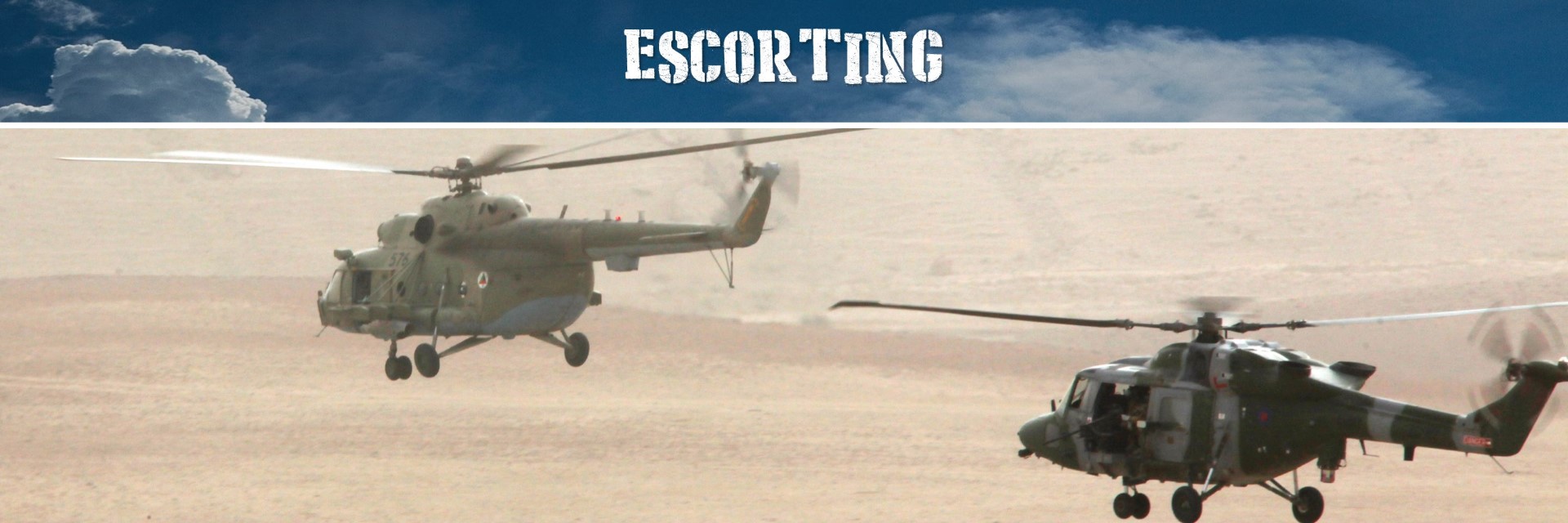
Module Functional.Escort
Functional - Taking the lead of AI escorting your flight.
Features:
- Escort navigation commands.
- Escort hold at position commands.
- Escorts reporting detected targets.
- Escorts scanning targets in advance.
- Escorts attacking specific targets.
- Request assistance from other groups for attack.
- Manage rule of engagement of escorts.
- Manage the allowed evasion techniques of escorts.
- Make escort to execute a defined mission or path.
- Escort tactical situation reporting.
Missions:
Allows you to interact with escorting AI on your flight and take the lead.
Each escorting group can be commanded with a whole set of radio commands (radio menu in your flight, and then F10).
The radio commands will vary according the category of the group. The richest set of commands are with Helicopters and AirPlanes. Ships and Ground troops will have a more limited set, but they can provide support through the bombing of targets designated by the other escorts.
RADIO MENUs that can be created:
Find a summary below of the current available commands:
Navigation ...:
Escort group navigation functions:
- "Join-Up and Follow at x meters": The escort group fill follow you at about x meters, and they will follow you.
- "Flare": Provides menu commands to let the escort group shoot a flare in the air in a color.
- "Smoke": Provides menu commands to let the escort group smoke the air in a color. Note that smoking is only available for ground and naval troops.
Hold position ...:
Escort group navigation functions:
- "At current location": Stops the escort group and they will hover 30 meters above the ground at the position they stopped.
- "At client location": Stops the escort group and they will hover 30 meters above the ground at the position they stopped.
Report targets ...:
Report targets will make the escort group to report any target that it identifies within a 8km range. Any detected target can be attacked using the 4. Attack nearby targets function. (see below).
- "Report now": Will report the current detected targets.
- "Report targets on": Will make the escort group to report detected targets and will fill the "Attack nearby targets" menu list.
- "Report targets off": Will stop detecting targets.
Scan targets ...:
Menu items to pop-up the escort group for target scanning. After scanning, the escort group will resume with the mission or defined task.
- "Scan targets 30 seconds": Scan 30 seconds for targets.
- "Scan targets 60 seconds": Scan 60 seconds for targets.
Attack targets ...:
This menu item will list all detected targets within a 15km range. Depending on the level of detection (known/unknown) and visuality, the targets type will also be listed.
Request assistance from ...:
This menu item will list all detected targets within a 15km range, as with the menu item Attack Targets. This menu item allows to request attack support from other escorts supporting the current client group. eg. the function allows a player to request support from the Ship escort to attack a target identified by the Plane escort with its Tomahawk missiles. eg. the function allows a player to request support from other Planes escorting to bomb the unit with illumination missiles or bombs, so that the main plane escort can attack the area.
ROE ...:
Sets the Rules of Engagement (ROE) of the escort group when in flight.
- "Hold Fire": The escort group will hold fire.
- "Return Fire": The escort group will return fire.
- "Open Fire": The escort group will open fire on designated targets.
- "Weapon Free": The escort group will engage with any target.
Evasion ...:
Will define the evasion techniques that the escort group will perform during flight or combat.
- "Fight until death": The escort group will have no reaction to threats.
- "Use flares, chaff and jammers": The escort group will use passive defense using flares and jammers. No evasive manoeuvres are executed.
- "Evade enemy fire": The rescort group will evade enemy fire before firing.
- "Go below radar and evade fire": The escort group will perform evasive vertical manoeuvres.
Resume Mission ...:
Escort groups can have their own mission. This menu item will allow the escort group to resume their Mission from a given waypoint. Note that this is really fantastic, as you now have the dynamic of taking control of the escort groups, and allowing them to resume their path or mission.
Authors: FlightControl
Global(s)
Global ESCORT |
ESCORT class ESCORT construction methods. |
ESCORT class
ESCORT construction methods.
Create a new SPAWN object with the ESCORT.New method:
- ESCORT.New: Creates a new ESCORT object from a Wrapper.Group#GROUP for a Wrapper.Client#CLIENT, with an optional briefing text.
Usage:
-- Declare a new EscortPlanes object as follows:

-- First find the GROUP object and the CLIENT object.
local EscortClient = CLIENT:FindByName( "Unit Name" ) -- The Unit Name is the name of the unit flagged with the skill Client in the mission editor.
local EscortGroup = GROUP:FindByName( "Group Name" ) -- The Group Name is the name of the group that will escort the Escort Client.

-- Now use these 2 objects to construct the new EscortPlanes object.
EscortPlanes = ESCORT:New( EscortClient, EscortGroup, "Desert", "Welcome to the mission. You are escorted by a plane with code name 'Desert', which can be instructed through the F10 radio menu." )
Global _Resume(EscortGroup) |
Type(s)
| Fields and Methods inherited from ESCORT | Description |
|---|---|
|
JoinsUp and Follows a CLIENT. |
|
|
Defines a menu slot to let the escort attack its detected targets using assisted attack from another escort joined also with the client. |
|
|
Defines a menu to let the escort set its evasion when under threat. |
|
|
Defines a menu slot to let the escort disperse a flare in a certain color. |
|
|
Defines a menu slot to let the escort Join and Follow you at a certain distance. |
|
ESCORT:MenuHoldAtEscortPosition(Height, Seconds, MenuTextFormat) |
Defines a menu slot to let the escort hold at their current position and stay low with a specified height during a specified time in seconds. |
ESCORT:MenuHoldAtLeaderPosition(Height, Seconds, MenuTextFormat) |
Defines a menu slot to let the escort hold at the client position and stay low with a specified height during a specified time in seconds. |
|
Defines a menu to let the escort set its rules of engagement. |
|
|
Defines a menu slot to let the escort report their current detected targets with a specified time interval in seconds. |
|
|
Defines a menu to let the escort resume its mission from a waypoint on its route. |
|
|
Defines a menu slot to let the escort scan for targets at a certain height for a certain time in seconds. |
|
|
Defines a menu slot to let the escort disperse a smoke in a certain color. |
|
|
Defines the default menus |
|
ESCORT:New(EscortClient, EscortGroup, EscortName, EscortBriefing) |
ESCORT class constructor for an AI group |
|
Registers the waypoints |
|
|
Set a Detection method for the EscortClient to be reported upon. |
|
|
This function is for test, it will put on the frequency of the FollowScheduler a red smoke at the direction vector calculated for the escort to fly to. |
|
|
Report Targets Scheduler. |
|
| Fields and Methods inherited from ESCORT.MODE | Description |
|---|---|
| Fields and Methods inherited from MENUPARAM | Description |
|---|---|
Field(s)
Attack Targets
Reaction to Threats
Rules of Engagement
Report Targets
Mission Resume Menu Root
Request assistance from other escorts. This is very useful to let f.e. an escorting ship attack a target detected by an escorting plane...
Function(s)
JoinsUp and Follows a CLIENT.
Defined in:
ESCORT
Parameters:
Wrapper.Group#GROUP EscortGroup
Wrapper.Client#CLIENT EscortClient
DCS#Distance Distance
Defines a menu slot to let the escort attack its detected targets using assisted attack from another escort joined also with the client.
This menu will appear under Request assistance from. Note that this method needs to be preceded with the method MenuReportTargets.
Defines a menu to let the escort set its evasion when under threat.
All rules of engagement will appear under the menu Evasion.
Defines a menu slot to let the escort disperse a flare in a certain color.
This menu will appear under Navigation. The flare will be fired from the first unit in the group.
Defined in:
ESCORT
Parameter:
#string MenuTextFormat
Optional parameter that shows the menu option text. If no text is given, the default text will be displayed.
Return value:
Defines a menu slot to let the escort Join and Follow you at a certain distance.
This menu will appear under Navigation.
Defined in:
ESCORT
Parameter:
DCS#Distance Distance
The distance in meters that the escort needs to follow the client.
Return value:
Defines a menu slot to let the escort hold at their current position and stay low with a specified height during a specified time in seconds.
This menu will appear under Hold position.
Defined in:
ESCORT
Parameters:
DCS#Distance Height
Optional parameter that sets the height in meters to let the escort orbit at the current location. The default value is 30 meters.
DCS#Time Seconds
Optional parameter that lets the escort orbit at the current position for a specified time. (not implemented yet). The default value is 0 seconds, meaning, that the escort will orbit forever until a sequent command is given.
#string MenuTextFormat
Optional parameter that shows the menu option text. The text string is formatted, and should contain two %d tokens in the string. The first for the Height, the second for the Time (if given). If no text is given, the default text will be displayed.
Return value:
TODO: Implement Seconds parameter. Challenge is to first develop the "continue from last activity" function.
Defines a menu slot to let the escort hold at the client position and stay low with a specified height during a specified time in seconds.
This menu will appear under Navigation.
Defined in:
ESCORT
Parameters:
DCS#Distance Height
Optional parameter that sets the height in meters to let the escort orbit at the current location. The default value is 30 meters.
DCS#Time Seconds
Optional parameter that lets the escort orbit at the current position for a specified time. (not implemented yet). The default value is 0 seconds, meaning, that the escort will orbit forever until a sequent command is given.
#string MenuTextFormat
Optional parameter that shows the menu option text. The text string is formatted, and should contain one or two %d tokens in the string. The first for the Height, the second for the Time (if given). If no text is given, the default text will be displayed.
Return value:
TODO: Implement Seconds parameter. Challenge is to first develop the "continue from last activity" function.
Defines a menu to let the escort set its rules of engagement.
All rules of engagement will appear under the menu ROE.
Defines a menu slot to let the escort report their current detected targets with a specified time interval in seconds.
This menu will appear under Report targets. Note that if a report targets menu is not specified, no targets will be detected by the escort, and the attack and assisted attack menus will not be displayed.
Defines a menu to let the escort resume its mission from a waypoint on its route.
All rules of engagement will appear under the menu Resume mission from.
Defines a menu slot to let the escort scan for targets at a certain height for a certain time in seconds.
This menu will appear under Scan targets.
Defined in:
ESCORT
Parameters:
DCS#Distance Height
Optional parameter that sets the height in meters to let the escort orbit at the current location. The default value is 30 meters.
DCS#Time Seconds
Optional parameter that lets the escort orbit at the current position for a specified time. (not implemented yet). The default value is 0 seconds, meaning, that the escort will orbit forever until a sequent command is given.
#string MenuTextFormat
Optional parameter that shows the menu option text. The text string is formatted, and should contain one or two %d tokens in the string. The first for the Height, the second for the Time (if given). If no text is given, the default text will be displayed.
Return value:
Defines a menu slot to let the escort disperse a smoke in a certain color.
This menu will appear under Navigation. Note that smoke menu options will only be displayed for ships and ground units. Not for air units. The smoke will be fired from the first unit in the group.
Defined in:
ESCORT
Parameter:
#string MenuTextFormat
Optional parameter that shows the menu option text. If no text is given, the default text will be displayed.
Return value:
ESCORT class constructor for an AI group
Defined in:
ESCORT
Parameters:
Wrapper.Client#CLIENT EscortClient
The client escorted by the EscortGroup.
Wrapper.Group#GROUP EscortGroup
The group AI escorting the EscortClient.
#string EscortName
Name of the escort.
#string EscortBriefing
A text showing the ESCORT briefing to the player. Note that if no EscortBriefing is provided, the default briefing will be shown.
Return value:
self
Usage:
-- Declare a new EscortPlanes object as follows:

-- First find the GROUP object and the CLIENT object.
local EscortClient = CLIENT:FindByName( "Unit Name" ) -- The Unit Name is the name of the unit flagged with the skill Client in the mission editor.
local EscortGroup = GROUP:FindByName( "Group Name" ) -- The Group Name is the name of the group that will escort the Escort Client.

-- Now use these 2 objects to construct the new EscortPlanes object.
EscortPlanes = ESCORT:New( EscortClient, EscortGroup, "Desert", "Welcome to the mission. You are escorted by a plane with code name 'Desert', which can be instructed through the F10 radio menu." )Set a Detection method for the EscortClient to be reported upon.
Detection methods are based on the derived classes from DETECTION_BASE.
This function is for test, it will put on the frequency of the FollowScheduler a red smoke at the direction vector calculated for the escort to fly to.
This allows to visualize where the escort is flying to.
Defined in:
ESCORT
Parameter:
#boolean SmokeDirection
If true, then the direction vector will be smoked.
Defined in:
ESCORT
Parameters:
Functional.Detection#DETECTION_BASE.DetectedItem DetectedItem
EscortGroupAttack
@param #ESCORT self @param Functional.Detection#DETECTION_BASE.DetectedItem DetectedItem
Defined in:
ESCORT
Parameter:
DetectedItem
@param #MENUPARAM MenuParam
Defined in:
ESCORT
Parameters:
Color
Message
@param #MENUPARAM MenuParam
Defined in:
ESCORT
Parameters:
OrbitGroup
OrbitHeight
OrbitSeconds
@param #MENUPARAM MenuParam
Defined in:
ESCORT
Parameter:
Distance
@param #MENUPARAM MenuParam
Defined in:
ESCORT
Parameters:
EscortROEFunction
EscortROEMessage
@param #MENUPARAM MenuParam
Defined in:
ESCORT
Parameters:
EscortROTFunction
EscortROTMessage
@param #MENUPARAM MenuParam
Defined in:
ESCORT
Parameter:
ScanDuration
@param #MENUPARAM MenuParam
Defined in:
ESCORT
Parameters:
Color
Message
Defined in:
ESCORT
Parameter:
ReportTargets
MENUPARAM type