 0fa3f36351
Made multiple additions and changes to icons.
Note: made all menu icons 35x35 px (except the new bomb icon, which is a unit icon - these are still 50x50 px) to ensure correct alignment and sizing.
ROE and Threat changed as per the discussion in discord based on the following final list:

ROE:
Attack all
Attack target only
Defend
Hold

Reaction:
Manoeuvre and countermeasures
Countermeasures only
None

Changes include:
- Added new bomb icon (blue, red, neutral).
- Updated ROE icons (roe_stop, roe_defend, roe_target, roe_attack)
- Updated threat icons (threat_nothing, threat_cms, threat_defend)
- Updated formation icons (form_admin, form_abreast, form_echelon, form_trail)
- Updated action icons (actions_cancel, actions_rtb, actions_gas, actions_180)
- Added misc icons, including settings, gas, plane, map, visible and brush.
Important note: DCS Olympus is in alpha state. No official release has been produced yet. The first public version is planned for Q2 2023.
DCS Olympus
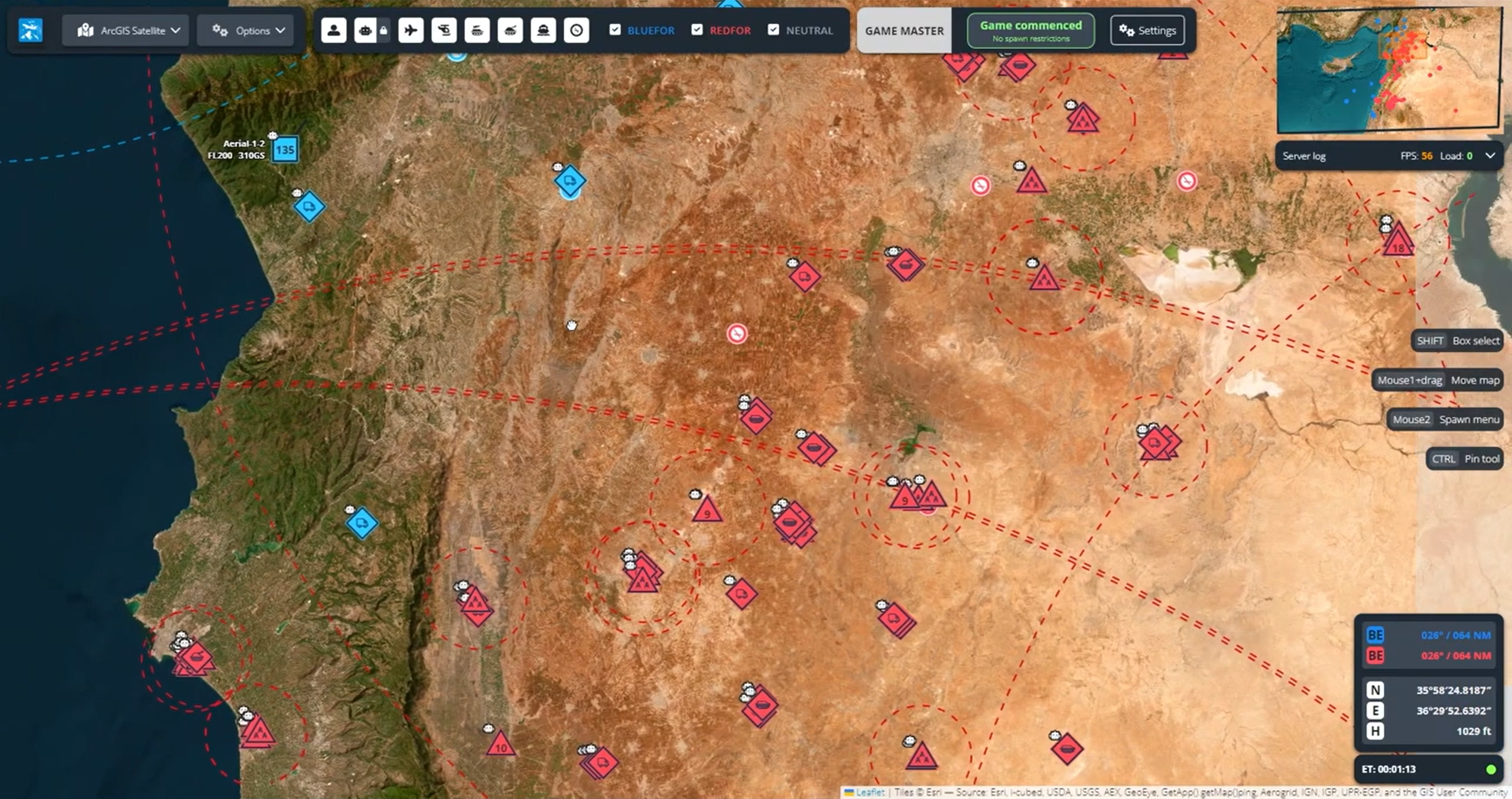
A real-time web interface to spawn and control units in DCS World
What is this?
DCS Olympus is a mod for DCS World. It allows users to spawn, control, task, group, and remove units from a DCS World server using a real-time map interface, similarly to Real Time Strategy games. The user interface also provides useful informations units, like loadouts, fuel, tasking, and so on. In the future, more features for DCS World GCI and JTAC will be available.
Features and how to use it
- Spawn air and ground units, with preset loadouts
- Double click on the map to spawn a blue and red units, both in the air and in the ground, with preset loadouts for air-to-air or air-to-ground tasks;
- Control units
- Select one ore more units to move them around. Hold down ctrl and click to create a route for the unit to follow;
- Attack other units
- After selecting one ore more units, double click on another unit and select "Attack" to attack it, depending on the available weapons.
Installing DCS Olympus
A prebuilt installer will soon be released and available here
Building DCS Olympus
DCS Olympus is comprised of two modules:
A "core" c++ .dll module, which is run by DCS and exposes all the necessary data, and provides endpoints for commands from a REST server. A Visual Studio 2017/2019/2022 solution is provided, and requires no additional configuration. The core dll solution has two dependencies, both can be installed using vcpkg (https://vcpkg.io/en/getting-started.html):
- cpprestsdk:
vcpkg install cpprestsdk:x64-windows - geographiclib:
vcpkg install geographiclib:x64-windows
A "client" node.js typescript web app, which can be hosted on the server using express.js. A Visual Studio Code configuration is provided for debugging. The client requires node.js to be installed for building (https://nodejs.org/en/). After installing node.js, move in the client folder and run the following commands:
npm installnpm -g install
After installing all the necessary dependencies you can start a development server executing the client/debug.bat batch file, and visiting http:\localhost:3000 with any modern browser (tested with updated Chrome, Firefox and Edge). However, it is highly suggested to simply run the Launch Chrome against localhost debug configuration in Visual Studio Code.